For most students, a laptop is the better primary computer because classes, study groups, and library sessions require a machine you can carry. A desktop makes more sense if you work mostly in one room and need more power or easier upgrades for a demanding major.
This guide compares both options on the things that actually affect student life: portability, performance, upgrade paths, repairs, desk space, and the hidden costs of each setup. I based this guide on manufacturer manuals and spec sheets, published standards such as USB-C and PCIe, and widely documented PC building practice.
Laptop vs Desktop for Students at a Glance
| Criterion | Laptop | Desktop |
|---|---|---|
| Portability | Built in, works anywhere | Fixed to one desk |
| Performance per size | Limited by cooling and power | Full-size parts, sustained load |
| Upgrades | RAM and storage often fixed | Swap GPU, RAM, PSU, drives |
| Repairs | Often whole-unit service | Replace individual parts |
| Desk space | Small footprint, closes away | Needs a monitor, keyboard, mouse |
| Battery and power | Runs unplugged, needs a charger | Requires a wall outlet |
| Noise under load | Fans spin up close to you | Larger fans, more case airflow |
| Total setup | One purchase, ready to go | Tower plus peripherals |
The table shows the trade you are making. A laptop bundles everything into one portable package, while a desktop spreads the same budget across a tower and separate peripherals. Neither is automatically better. Your major, your schedule, and your desk decide which set of trade-offs hurts less.

Portability and Campus Life
You will carry your computer more than you expect. Lectures, labs, group projects, and late library sessions all reward a machine that fits in a bag. A laptop lets you open your notes in class, move to a quieter floor, and join a study room without packing up a tower. That flexibility is the single biggest reason laptops dominate student life.
A desktop ties you to one spot. If your work is mostly reading, writing, and coding at a fixed desk, that is fine. If your week includes back-to-back classes across campus, a desktop becomes a second device problem, and you will need a cheap laptop or tablet to fill the gap. That extra device is a real cost, so count it before you choose.
When a Desktop Still Works
- You live off campus or in a dorm room with a stable desk.
- Your classes are mostly in one building or online.
- You already own a basic laptop or tablet for note taking.
- Your major needs sustained compute, such as rendering or large datasets.
If you want a shortlist of machines built for campus, my roundup of laptops for college students covers the practical picks. Read it after you decide portability matters more than raw power.
Performance and Upgrade Paths
A desktop wins on sustained performance. Full-size CPUs and graphics cards get more cooling and more power headroom, so they hold their speed through long renders, compiles, and simulations. A laptop can be fast in short bursts, but thin chassis limit how long it can stay there. The gap is smallest for writing and web work and largest for 3D, video, and data-heavy majors.
Upgrades are the other split. Desktops let you replace the graphics card, add RAM, swap the power supply, and add drives as standards like PCIe and M.2 evolve. Many laptops solder RAM and storage, so what you buy is what you keep. Check the service manual before assuming a laptop can be upgraded.
What to Verify Before Buying
- Confirm whether RAM and storage are socketed or soldered in the service manual.
- Check the desktop power supply wattage and connector types on the spec sheet.
- Match the monitor inputs to the ports on the tower or laptop dock.
- For heavy majors, compare sustained cooling design, not peak specs.
Computer science students sit in the middle: most coursework runs fine on a laptop, but long builds and virtual machines benefit from more RAM and cooling. My roundup of laptops for computer science students explains which configurations handle that load. If you prefer a tower, start with desktop computers for students and match the spec sheet to your software.
Cost, Repairs, and Desk Setup
A laptop looks like the simpler purchase because it includes the screen, keyboard, and trackpad. A desktop often costs less for the same performance, but you must add a monitor, keyboard, mouse, and possibly speakers. Add those peripherals before you compare, and the gap narrows. Neither option is automatically the cheaper path for every student.
Repairs differ too. A desktop is modular: a failed fan, drive, or power supply can be replaced on its own. A laptop often needs a full service visit for the same fault, and some parts are soldered. If you keep a machine for four years, that repairability matters. Check the warranty terms with the manufacturer, since coverage varies by model and region.
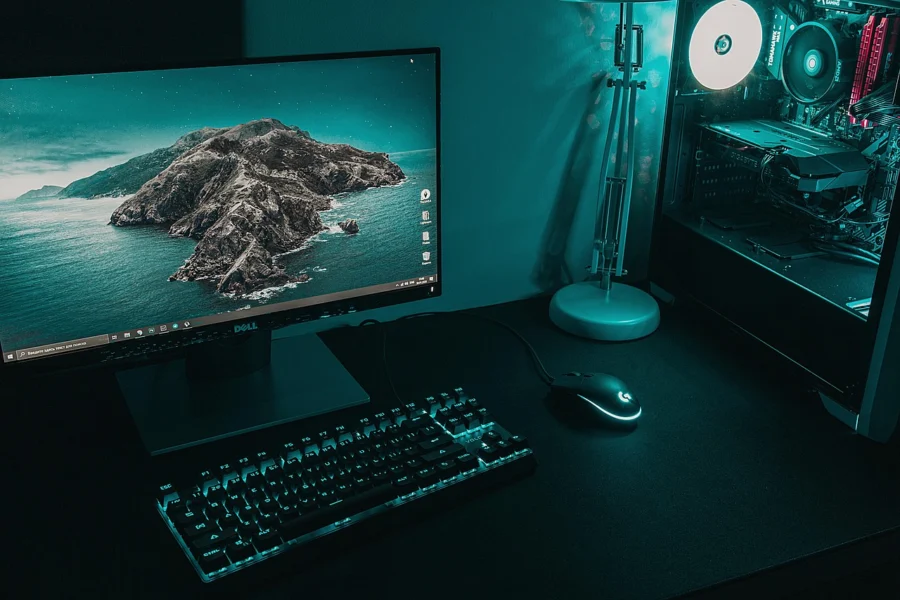
Desk setup is the quiet factor. A desktop needs a real surface, cable room, and a chair you can sit in for long sessions. A laptop works on a couch or a library table but benefits from a stand and an external keyboard for long typing. If your room is small, measure the desk before you buy a tower and monitor.
Battery safety applies to both. A swollen, punctured, or overheating lithium-ion battery is a fire risk. Stop using and charging the device, do not puncture or press on the battery, and use only the charger the maker specifies. Take old batteries to a battery recycling drop-off rather than the trash.
Which One Should You Choose
Choose based on how often you leave your room and how much sustained power your software needs. The verdict below is the short version; the details above explain why.
Choose a Laptop If
- You take notes in class and study in several places each week.
- Your major is writing, business, biology, or general computer science.
- You want one device that handles classes, email, and streaming.
- You have limited desk space or move between home and campus.
Choose a Desktop If
- You work from one desk and already own a basic portable device.
- Your major needs sustained rendering, simulation, or large datasets.
- You want to upgrade the graphics card or RAM later.
- You prefer a large monitor and a full keyboard for long sessions.
A common mistake is buying a desktop first and then discovering you need a laptop for class. The reverse mistake is buying a thin laptop for a major that needs sustained power. Match the machine to your actual week, not to the spec sheet you admire.
Frequently Asked Questions
Is a laptop or desktop better for a college student?
A laptop is better for most college students because classes and study sessions require portability. A desktop fits students who work from one desk and need sustained power or easy upgrades. Your major and weekly schedule decide which trade-off matters more.
Can a desktop replace a laptop for schoolwork?
A desktop can replace a laptop only if your classes are mostly online or in one building and you have a second device for notes. Otherwise you will need a basic laptop or tablet for campus. Count that extra device before you commit to a tower.
Do students need a powerful laptop or desktop?
Most students do not need a powerful machine for writing, web research, and basic coding. Majors in 3D, video, or data work benefit from more RAM and better cooling. Check your software requirements and the service manual before paying for power you will not use.
What should I check before buying a student computer?
Check whether RAM and storage are upgradeable, confirm the ports match your monitor and peripherals, and read the warranty terms from the manufacturer. For desktops, verify the power supply and case clearance on the spec sheet. These details matter more than peak specs.
Final Thoughts
The single most important takeaway is to match the machine to your week, not to the biggest spec sheet. If you leave your room most days, a laptop is the practical default. If you work from one desk and need sustained power, a desktop earns its place.
Buy for the work you actually do, keep the charger and battery guidance in mind, and leave room in your plan for repairs and peripherals.