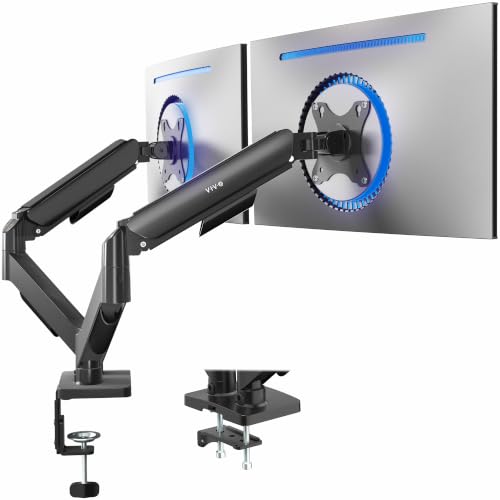
A 49-inch ultrawide on a factory stand eats half your desk and sits at whatever height the base allows. When you swap to an arm, the screen floats, the space underneath opens up, and you can pull the panel to eye level instead of craning toward it. The catch is that a big curved screen is heavy, and a mount rated for a 24-inch office monitor will sag or refuse to hold the tilt.
I went through the spec sheets for these arms and compared the numbers that actually decide whether a mount works: stated load capacity, supported screen size, VESA pattern, desk thickness range for the clamp or grommet, and how much height and extension the arm offers. I also checked which desks the listings say are suitable, because glass and thin particleboard are a different story from a solid wood top. My overall pick for best heavy duty monitor arms is the WALI Ultrawide Single Monitor Arm for 17-49 inch. It covers the common 49-inch curved size at a stated 33 lb capacity and gives you both clamp and grommet mounting. My top picks are just below.
Best Heavy Duty Monitor Arms at a Glance
| Product | PGH Score | ||
|---|---|---|---|
|
Best Overall WALI Ultrawide Single Monitor Arm for 17-49 Inch | 9.9 | Check Price on Amazon |

|
Best for 49-inch Ultrawides HUANUO TitanLift Heavy Duty Monitor Arm for 49" | 9.9 | Check Price on Amazon |

|
Best for 49 Inch Ultrawides ARES WING Ultrawide Monitor Arm for 17-49 Inch | 9.8 | Check Price on Amazon |

|
Best for Heavy Ultrawides MSI MAG MT201 Single Monitor Arm for 17-49 Inch | 9.7 | Check Price on Amazon |

|
Best for Ultrawide Monitors monTEK Heavy Duty Monitor Arm for 17-57 Inch | 9.6 | Check Price on Amazon |
|
Best for Ultrawide Screens ErGear Heavy Duty Monitor Arm for 13-49 Inch | 9.5 | Check Price on Amazon |

|
WALI Heavy Duty Monitor Arm for 13-49 Inch | 9.4 | Check Price on Amazon |
|
VIVO Aluminum Ultrawide Monitor Tension Arm | 9.4 | Check Price on Amazon |
In-Depth Reviews
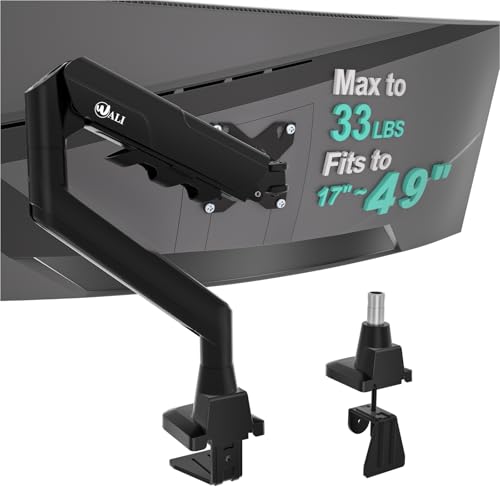
WALI ultrawide single monitor arm fitting 17 to 49 inch flat or curved screens up to 33 lbs, with tilt, swivel, rotation, and C-clamp or grommet mounting.
Key Facts
- Key Spec
- Max Load 33 lbs
- Compatibility
- 17 to 49 inch flat or 1800R curved screens, VESA 75x75mm and 100x100mm
- Adjustment
- Extends 21.14 inches, raises 20.59 inches, swivel 90 degrees, tilt 75 degrees, rotation 360 degrees
- Mounting
- C-clamp or grommet base for desks 0.39 to 1.96 inches thick
Pros
- +Wide 17-49 inch fit covers most ultrawide panels
- +33 lb capacity supports heavier curved monitors
- +Full motion with 90 degree swivel and 75 degree tilt
- +C-clamp and grommet options suit different desk setups
Cons
- −Wooden desk required, crossbeam can block installation
- −No stated warranty terms for long-term coverage
Detailed Review
WALI's GSM001XLN targets a specific gap, a single arm rated to 33 lbs and sized for screens from 17 to 49 inches, including 1800R curved panels. That weight ceiling matters because many ultrawide monitors sit well above what a standard arm will hold, and the wider VESA head is designed to keep a large panel from wobbling.
The arm extends out 21.14 inches and lifts to 20.59 inches above the desk, with 90 degree swivel, 75 degree tilt, and 360 degree rotation. Cable management runs wires along the arm, which helps on a desk where a 49 inch screen already eats most of the width.
Mounting is limited to wooden desks, and a crossbeam underneath can block the clamp or grommet. I would check the underside of the desk before buying, and I would keep the total monitor weight under the rated 33 lbs.
HUANUO TitanLift is a single aluminum monitor arm rated to hold 6.6 to 44 lbs and fit screens from 17 to 49 inches with 75x75mm or 100x100mm VESA.
Key Facts
- Key Spec
- Weight Capacity: 6.6 to 44 lbs
- Compatibility
- 17 to 49 inch screens, 75x75mm or 100x100mm VESA
- Size
- 24.8 x 6.97 x 19.6 inches
- Adjustment
- Tilt +50 to -50 degrees, 180 degree swivel, 22.5 inch extension
Pros
- +44 lb weight capacity handles large ultrawide panels
- +Aluminum alloy build with reinforced VESA head and wider base
- +One-hand tension adjustment using the included Allen key
- +Quick-install VESA head simplifies mounting a 49-inch screen
Cons
- −Only wooden desks from 0.8 to 3.5 inches thick are supported
- −Glass and plastic desks cannot be used with this clamp
- −Underside cross beams or panels block installation
Detailed Review
The HUANUO TitanLift is built around a 44 lb weight rating and a 6.6 to 44 lb range, which covers most 49-inch ultrawide panels that lighter arms struggle to hold. I see this fitting a sim racing rig or a deep desk where a single ultrawide replaces two monitors and needs to swing out of the way. The aluminum alloy frame uses a reinforced VESA head and a wider base to spread that load.
Adjustment is genuinely broad for a single arm. Tilt runs +50 to -50 degrees, swivel is 180 degrees each way, and the arm extends up to 22.5 inches with 19.6 inches of height travel from desk to VESA center. A quick-install VESA head and one-hand tension bolt make setup less fiddly than most heavy-duty mounts.
The desk requirements are the real constraint. Only wooden desks from 0.8 to 3.5 inches thick work, and any cross beam or panel under the desk blocks the clamp. Check the manufacturer's stated limits before buying.
Gas spring desk arm rated to hold 4.4 to 44 lbs, fitting 17 to 49 inch flat and curved monitors on 75x75mm or 100x100mm VESA patterns.
Key Facts
- Key Spec
- Max Load 44 lbs, Fits 17 to 49 Inch Screens
- Compatibility
- 75x75mm and 100x100mm VESA Mounts
- Mounting
- C Clamp for 0.5 to 1.8 Inch Desks, Grommet for 0.5 to 2 Inch Desks
- Adjustment
- Height 8.7 to 18.7 Inches, Extension 22.4 Inches
Pros
- +Rated for heavy 49 inch ultrawide panels up to 44 lbs
- +Full articulation with tilt, swivel, and 360 degree rotation
- +Two mounting methods cover most desk thicknesses
- +Detachable VESA plate simplifies single-person installation
Cons
- −VESA adapter needed for monitors lacking mounting holes
- −Arm reaches 22.4 inches, needing depth behind the desk
Detailed Review
The ARES WING desk arm is built around a gas spring rated to hold 4.4 to 44 lbs, which puts 49 inch ultrawides like the Samsung Odyssey G9 within reach. Its height range of 8.7 to 18.7 inches and 22.4 inch maximum extension allow a screen to sit at eye level without a bulky stand eating desk space.
I value the 75x75mm and 100x100mm VESA compatibility because it covers most flat and curved monitors from 17 to 49 inches. The C clamp handles desks 0.5 to 1.8 inches thick, while the grommet base suits 0.5 to 2 inch tops, so check your desk before ordering.
One catch is that monitors without VESA holes need an adapter, and the long arm demands clearance behind the desk. For anyone running a large curved panel, this arm suits the job if the mounting points line up.
The MSI MAG MT201 is a heavy-duty single monitor arm that fits 17-49 inch screens and holds up to 44 lbs with clamp or grommet mounting.
Key Facts
- Screen Size Range
- 17 to 49 inches
- Weight Capacity
- 4.4 to 44 lbs per screen
- VESA Compatibility
- 75x75 mm, 100x100 mm
- Desk Thickness (Clamp)
- 10 to 85 mm
Pros
- +Wide 17-49 inch screen size range covers most monitors
- +Heavy 44 lb weight capacity handles large ultrawides
- +Clamp and grommet bases suit different desk setups
- +Quick release VESA plate speeds up installation
Cons
- −Grommet mount only fits desk thickness up to 35 mm
- −No cable management channel mentioned in the features
- −Requires VESA-compatible monitor for mounting
Detailed Review
The MSI MAG MT201 stands out for its 44 lb weight capacity and 17-49 inch screen support, which covers everything from a 24 inch side panel to a 49 inch super ultrawide. The gas spring assist is tuned for that load range, so a heavy 49 inch display should hold its angle without sagging. I would pair this with a sturdy desk, since the clamp base needs 10 to 85 mm of thickness while the grommet option only goes to 35 mm.
Installation looks straightforward thanks to the quick release VESA plate, which lets you snap the monitor on after the arm is mounted. Tilt runs from +50 to -20 degrees, swivel is 90 degrees each way, and rotation is 180 degrees, giving enough range to switch between landscape and portrait. The two base options mean you can choose clamp for a standard desk edge or grommet for a cleaner look.
What I would keep in mind is that the grommet mount maxes out at 35 mm, so thicker desks need the clamp instead. Also, the features do not mention cable management, so you may need clips or ties to keep wires tidy. For a single heavy monitor on a desk that fits the clamp or grommet specs, the MT201 is a practical choice.
Heavy duty gas spring monitor arm supporting 17 to 57 inch screens up to 59.4 lbs with 75x75 or 100x100 VESA mounting.
Key Facts
- Key Spec
- Max Load: 59.4 lbs
- Compatibility
- 17-57 inch screens, 75x75 or 100x100 VESA
- Adjustment
- Tilt +75/-75, Swivel 180, Rotation 90
- Mounting
- C-clamp and grommet
Pros
- +Holds up to 59.4 lbs for heavy ultrawide monitors
- +Gas spring design reduces wobble during use
- +Quick-release VESA plate simplifies installation
- +Integrated cable management reduces desk clutter
Cons
- −No VESA adapter included for non-standard mounting holes
- −Single arm design limits multi-monitor setups
- −Height range tops out at 22 inches
Detailed Review
The monTEK heavy duty monitor arm is built around a gas spring rated for over 20,000 life cycles, which is the figure that matters if you reposition your screen often. It supports ultrawide monitors up to 57 inches and 59.4 lbs, a range that covers large curved panels. The 75x75 and 100x100 VESA compatibility means it fits most standard mounting patterns, though I'd check your monitor's VESA holes first since an adapter is not included.
Full motion adjustment includes +75 to -75 degree tilt, 180 degree swivel, and 90 degree rotation for portrait mode. The height range of 11.3 to 22 inches and 19.7 inch extension give enough reach for a comfortable viewing angle. For a single ultrawide on a deep desk, I see this working well, but the single arm design rules out multi-monitor setups.
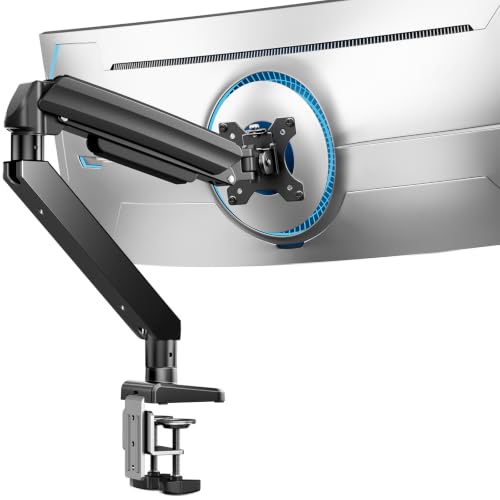
ErGear's heavy duty monitor arm fits 13 to 49 inch ultrawide screens, holds up to 37.4 lbs, and mounts by C-clamp or grommet.
Key Facts
- Key Spec
- 37.4 lb weight capacity
- Compatibility
- 13 to 49 inch screens, VESA 75x75 or 100x100mm
- Mounting
- C-clamp 0.39 to 3.15 inches, grommet 0.39 to 2 inches
- Adjustment
- +30/-40 tilt, 90 swivel, 360 rotation
Pros
- +Heavy duty 37.4 lb capacity for big ultrawide panels
- +Dual C-clamp spreads load for steadier hold
- +Full motion tilt, swivel, and 360 degree rotation
- +Pre-assembled design speeds up installation
Cons
- −Thickened steel arm adds bulk on a desk
- −Grommet mount caps desk thickness at 2 inches
- −Single arm gives no side by side screen option
Detailed Review
This arm is built around a 37.4 lb capacity and a 13 to 49 inch screen range, which is the combination that matters if you run a large ultrawide panel. The thickened steel arm and dual C-clamp are there to spread the load and limit shake when you type or move a mouse quickly.
Full motion covers +30/-40 degrees tilt, 90 degrees swivel, and 360 degree rotation, with 21.2 inches of extension and 22.2 inches of height. I see this fitting a deep desk where the factory base eats the space you need for a keyboard and notes.
Check your setup limits first. The grommet mount only accepts desks up to 2 inches thick, and the C-clamp tops out at 3.15 inches, so measure before you commit.
WALI single monitor arm fits 13 to 49 inch flat or 1000R curved screens up to 44 lbs, with VESA 75x75mm and 100x100mm mounting.
Key Facts
- Key Spec
- Max Load 44 lb
- Compatibility
- VESA 75x75mm and 100x100mm
- Size
- 13 to 49 inches
- Mounting
- C-clamp 0.39 to 3.15 inches, grommet 0.39 to 1.77 inches
Pros
- +44 lb capacity handles heavy 49 inch ultrawides
- +C-clamp and grommet options fit different desks
- +360 degree rotation plus 90 degree swivel for portrait mode
- +Built-in cable management routes wires along the arm
Cons
- −Grommet base only fits desks up to 1.77 inches thick
- −No crossbeam support under the desk
- −Single monitor only, no dual arm option
Detailed Review
A 44 lb load rating puts this WALI arm in the range of 49 inch ultrawides, which is the main reason it exists. The VESA head accepts both 75x75mm and 100x100mm patterns, so most large monitors will bolt on without an adapter.
Full motion covers 21.57 inches of extension, 20.35 inches of height, and 360 degree rotation for portrait swaps. It makes the most sense for a home office or sim rig where a heavy curved panel needs to swing out of the way between sessions.
The grommet base stops at 1.77 inches of desk thickness, and the C-clamp needs a solid wooden top with no crossbeam underneath. Check the manufacturer limits before mounting a 44 lb screen.
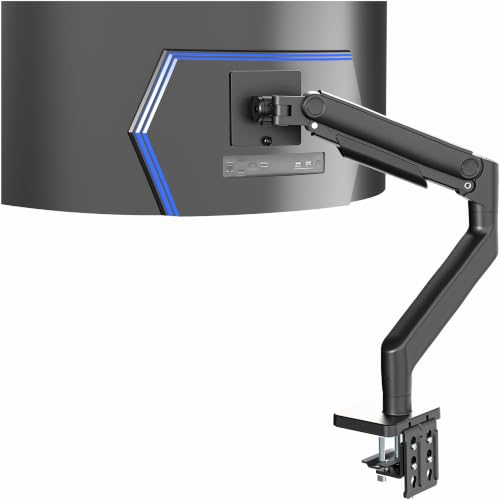
A single tension-arm desk mount rated for ultrawide monitors up to 49 inches and 44 lbs, with 75x75mm or 100x100mm VESA compatibility.
Key Facts
- Key Spec
- Max 49" screens, 44 lbs
- Connectivity
- VESA 75x75mm or 100x100mm
- Compatibility
- Desks up to 3.2" thick (C-clamp)
- Size
- 26.6 x 5.3 x 19.7 inches
Pros
- +Heavy-duty tension arm supports up to 44 lbs
- +Tilt range of +50° to -20° for angle tweaks
- +Integrated cable management covers hide cords
- +Detachable VESA plate eases installation
Cons
- −No grommet mount included for thicker desks
- −Tension arm requires careful counterbalance adjustment
Detailed Review
The VIVO STAND-V101V is built around a single tension arm rated for ultrawide monitors up to 49 inches and 44 lbs, which puts it in the range of a Samsung Odyssey G9. A detachable VESA plate for 75x75mm or 100x100mm patterns makes mounting a large panel easier, and the arm clamps to desks up to 3.2 inches thick. I'd pair this with a deep desk where a 49-inch screen would otherwise sit too close.
Height adjustment spans 11 inches with spring assist, and the head offers +50° to -20° tilt, 180° swivel, and 360° rotation. Integrated cable management covers keep cords tidy during transitions. The spring tension needs dialing in to match your monitor's weight, and the clamp mount is the only option unless you supply a grommet kit. For my money, this suits a fixed desk setup where the monitor stays put.
FAQs
How do I know if a monitor arm will hold my ultrawide?
Match three numbers before you buy: your screen size, its weight without the stand, and the VESA hole pattern on the back. A 49-inch curved panel can sit near the top of a mount’s stated range, so leave a little headroom rather than buying right at the limit. If your monitor has no VESA holes, you will need an adapter the listing may not include.
Will a heavy duty monitor arm fit my desk?
Desk thickness decides whether the clamp or grommet base will seat, and the underside matters just as much. Crossbeams, drawers, and metal frames can block the plate, and most listings recommend solid wood rather than glass or thin plastic. Measure your desktop thickness and check for obstructions before ordering, and stay within the manufacturer’s stated weight capacity and fit range.
Is a gas spring arm better than a tension arm?
Both hold a screen at height; the difference is how you adjust it. A gas spring arm counterbalances the panel so you can move it with one hand, while a tension arm uses a spring you tune with a tool. For a heavy ultrawide you reposition often, the spring-assist design is easier to live with day to day.
Can one arm carry two monitors?
These are all single-screen mounts, so each one carries one panel. If you run a stacked or side-by-side pair, you either buy two arms or step up to a dual mount rated for the combined weight. Two single arms also let you set each screen independently, which helps when one is a 49-inch ultrawide and the other is a standard 27-inch.
Final Thoughts
The number that matters most is your monitor’s weight, followed by its VESA pattern and your desk thickness. Get those three right and the rest is preference: how far the arm reaches, how much height it offers, and whether you want a spring-assist design you can nudge with one hand. For most ultrawide owners, the WALI Ultrawide Single Monitor Arm for 17-49 inch is the best overall choice. It covers the 49-inch curved size, gives you clamp and grommet mounting, and includes the cable routing that keeps a wide desk from turning into a tangle. If you want to spend less, the ErGear Heavy Duty Monitor Arm for 13-49″ Ultrawide is the value pick, with a dual C-clamp that spreads the load and a stated 37.4 lb capacity for large screens.
Skip both if your desk is glass or has a crossbeam under the mounting point, since the clamp needs a solid, flat surface to seat against. Anyone running a 24-inch office monitor does not need this class of arm at all, and a lighter single mount will cost less and take up less room. For a wider look at the category, the monitor arms and mounts hub covers the lighter options. Check the current price on Amazon once you have confirmed your monitor’s weight and VESA pattern, and the sizing question stops being a guess.