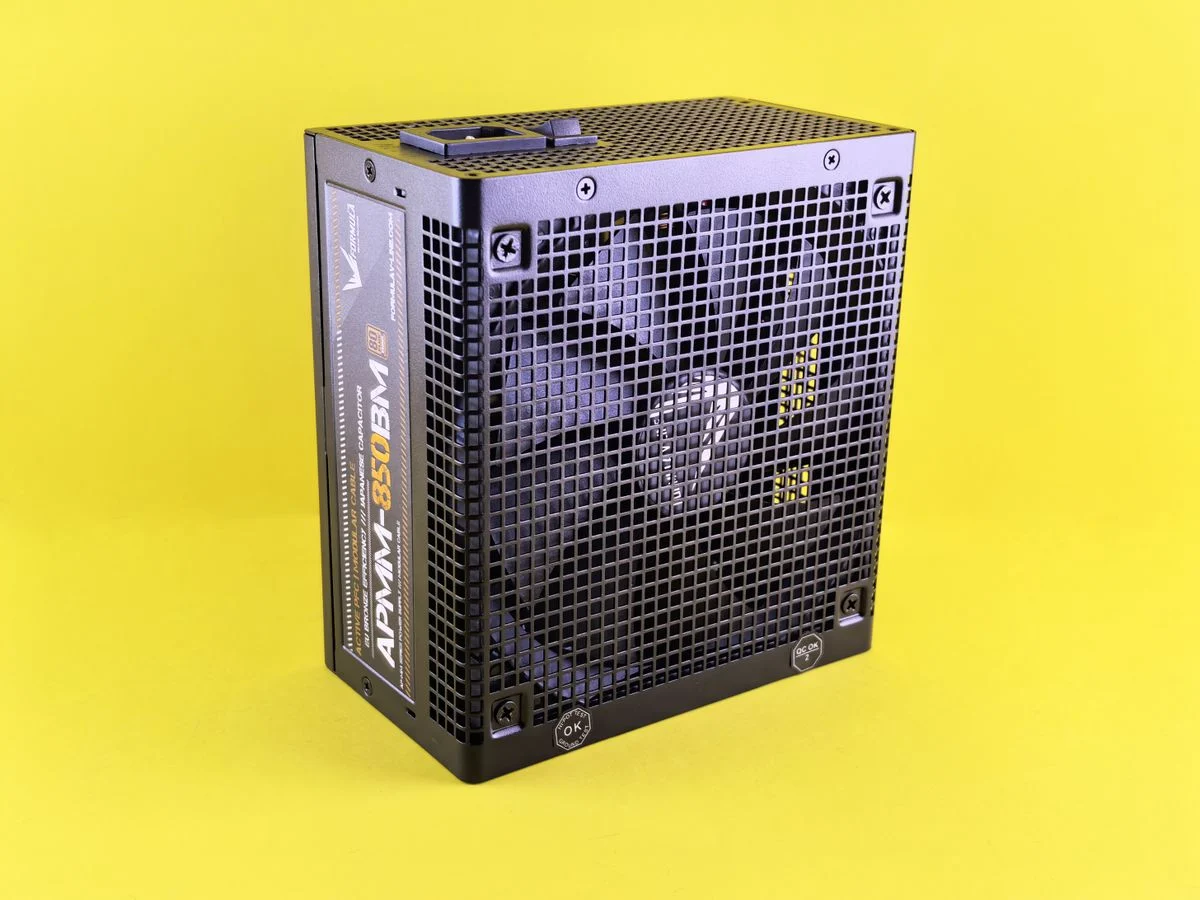
A power supply fan that ramps up under load can undo every quiet fan and low-noise cooler you installed. The noise usually comes from a small fan spinning hard to move heat out of a cramped unit, and it shows up right when you are trying to concentrate on a game or a deadline.
Quiet models earn the label through a few concrete traits: a larger fan that moves the same air at lower speed, a semi-passive mode that stops the fan entirely under light load, and efficiency high enough that less waste heat has to leave the case. I compared the Best Quiet Power Supplies on those points, plus cable layout and connector count, using manufacturer spec sheets and verified buyer feedback rather than hands-on testing.
My overall pick for best quiet power supplies is the be quiet! Dark Power 14 1000W, ATX 3.1, PCIe 5.1. It pairs a semi-passive mode with a switchable active setting, so the fan can stay still at idle and only spin when the load actually calls for it. My top picks are just below.
Best Quiet Power Supplies at a Glance
| Product | PGH Score | ||
|---|---|---|---|

|
Best Overall be quiet! Dark Power 14 1000W ATX 3.1 Power Supply | 9.8 | Check Price on Amazon |

|
Best for Budget Builds Thermaltake Smart 500W 80+ White PSU with 120mm | 9.6 | Check Price on Amazon |

|
Best for Modern GPU Builds ASRock PRO 850G 850W 80 Plus Gold ATX 3.1 Power | 9.6 | Check Price on Amazon |

|
Best for Quiet Builds Thermaltake GF1 750W Fully Modular ATX Power | 9.6 | Check Price on Amazon |

|
be quiet! Power Zone 2 750W PSU with 12V-2x6 | 9.6 | Check Price on Amazon |

|
be quiet! Pure Power 13 M 750W 80+ Gold Modular | 9.5 | Check Price on Amazon |

|
Best for High-End GPUs Corsair RM850e (2025) 850W ATX 3.1 Fully Modular | 9.4 | Check Price on Amazon |
In-Depth Reviews
The be quiet! Dark Power 14 is a 1000W ATX 3.1 power supply with 80 Plus Titanium efficiency, a native 12V-2x6 connector, and a semi-passive Silent Wings fan.
Key Facts
- Wattage
- 1000W
- Efficiency Rating
- 80 Plus Titanium, Cybenetics Titanium
- ATX Standard
- ATX 3.1, PCIe 5.1
- Connectors
- Native 12V-2x6, 4x PCIe 6+2-pin
Pros
- +80 Plus Titanium efficiency cuts power waste and heat
- +Native 12V-2x6 plus four PCIe 6+2-pin connectors
- +Semi-passive mode keeps fan off at low loads
- +Japanese 105C capacitors support stable operation
Cons
- −High 1000W capacity is overkill for mid-range builds
- −Semi-passive mode relies on case airflow for cooling
Detailed Review
The Dark Power 14 1000W carries 80 Plus Titanium and Cybenetics Titanium ratings, with efficiency up to 95.52 percent. That matters for a high-end build where waste heat and fan noise add up over long sessions.
A rear button switches between active and semi-passive cooling, and the Silent Wings fan sits in the heat sink to cut vibration. I rate the semi-passive mode a good fit for a quiet bedroom or studio PC, since the fan stays off under low load.
For overclocking, a button toggles between four 12V rails and a single massive rail. The 1000W capacity is more than most mid-range systems need, so I would size it against your actual component draw.
Thermaltake Smart 500W is an 80+ White certified ATX power supply with a 120mm fan, dual PCIe 6+2 connectors, and a 5-year warranty.
Key Facts
- Wattage
- 500W continuous at 40 degrees C
- Rating
- 80 Plus White
- Connectors
- Two PCIe 6+2 pin
- Warranty
- 5 years
Pros
- +80 Plus White certification for typical-load efficiency
- +Dual PCIe 6+2 connectors for one graphics card
- +120mm fan aimed at quieter operation
- +5-year warranty for long-term coverage
Cons
- −White efficiency tier trails Bronze and Gold units
- −Single +12V rail limits high-draw multi-GPU builds
- −Fixed cables leave unused connectors in the case
Detailed Review
The Thermaltake Smart 500W carries an 80 Plus White rating and delivers 500 watts continuous at 40 degrees C, which suits a modest gaming or office build. Its single +12V rail and active PFC keep voltage steady under mixed loading.
Two PCIe 6+2 connectors cover a single graphics card, and the 120mm fan is the part I would weigh most for a bedroom or shared-room PC. The 5-year warranty is longer than many units at this tier.
Efficiency is the real trade-off, since White sits below Bronze and Gold. For a build with one mid-range GPU and no overclocking headroom ambitions, I see this as a sensible fit, though I would confirm total system draw against the manufacturer's stated limits first.
The ASRock PRO 850G is an 850W ATX 3.1 power supply with 80 Plus Gold efficiency and a native 12V-2x6 connector for modern graphics cards.
Key Facts
- Wattage
- 850W
- Efficiency
- 80 Plus Gold
- Standard
- ATX 3.1 & PCIe 5.1
- Connector
- Native 12V-2x6
Pros
- +850W output for power-hungry graphics cards and upgrades
- +80 Plus Gold efficiency cuts wasted heat at typical loads
- +Native 12V-2x6 connector removes the need for a GPU adapter
- +120mm fan designed for low-noise operation in quiet rooms
Cons
- −3-year warranty is shorter than many competing units
- −No modular cabling mentioned, so spare cables stay in the case
Detailed Review
The ASRock PRO 850G pairs an 850W capacity with 80 Plus Gold certification, which matters most when a build runs a high-draw graphics card alongside a modern CPU. The native 12V-2x6 connector is the detail I would weigh first, since it feeds a current-generation GPU without a bundled adapter in the chain.
ATX 3.1 and PCIe 5.1 compliance put it in line with newer platform requirements, and the 120mm fan is tuned for low noise rather than maximum airflow. That combination suits a bedroom or shared-office build where fan whine is more annoying than a few extra degrees.
The 3-year warranty is shorter than I would like for a unit this size, and the cabling is not described as modular, so unused cables will live in the case. For an 850W build with a modern GPU, this is a sensible pairing.
The Thermaltake GF1 is a fully modular 750W ATX power supply with 80 Plus Gold certification and a 140mm fluid bearing fan that stays off under light loads.
Key Facts
- Wattage
- 750W
- Certification
- 80 Plus Gold
- Modularity
- Fully Modular
- Fan Size
- 140mm
Pros
- +Fully modular cables for cleaner builds
- +80 Plus Gold efficiency reduces wasted power
- +Zero RPM mode keeps the fan off at low loads
- +Single 12V rail simplifies power distribution
Cons
- −750W may limit headroom for high-end multi-GPU builds
- −No ATX 3.0 or 12VHPWR support listed for newer cards
- −Modular cables add bulk if not all are used
Detailed Review
The Thermaltake GF1 750W stands out for its fully modular cabling and 80 Plus Gold certification. A single high-amperage 12V rail with DC to DC conversion keeps voltage stable for modern components.
The 140mm fluid bearing fan uses a Smart Zero Fan mode that stops spinning under light loads, which I appreciate for quiet office or bedroom builds. Its compact 5.9 x 5.5 x 3.4 inch frame fits many ATX cases without crowding drive cages.
For a mid-range gaming PC or workstation, 750W covers most single-GPU setups. Just note that high-end cards with 12VHPWR connectors may need an adapter, and the unit lacks listed ATX 3.0 support.
The be quiet! Power Zone 2 is a 750W fully modular ATX 3.1 PSU with 80 Plus and Cybenetics Platinum ratings, a 140mm fan, and a native 12V-2x6 connector.
Key Facts
- Wattage
- 750W continuous
- Efficiency Rating
- 80 Plus Platinum, Cybenetics Platinum
- Form Factor
- ATX 3.1
- Modularity
- Fully modular
Pros
- +Platinum efficiency rating from both 80 Plus and Cybenetics
- +Zero RPM mode stops 140mm fan under low load
- +Native 12V-2x6 connector plus three PCIe 6+2-pin cables
- +10-year warranty backs long-term build plans
Cons
- −Heavier than many 750W units at over 7 pounds
- −Fan cooldown period of 2-5 minutes after load drops
- −Only 750W may limit future dual-GPU or extreme overclocking builds
Detailed Review
The Power Zone 2 750W pairs an 80 Plus and Cybenetics Platinum rating with a 140mm Pure Wings 3 fan that stops entirely under low load. That combination suits a quiet bedroom or studio build where coil whine and fan noise matter more than bragging rights. I appreciate the native 12V-2x6 connector and the included 90 degree angled adapter, which helps in cases where a straight cable would press against the side panel.
With 750W on a single 12V rail, this PSU is built for a modern graphics card and processor without much headroom for extreme overclocking. The fully modular cabling keeps unused wires out of the airflow path, and the 10-year warranty is longer than many competitors at this wattage. One trade-off is the 2-5 minute fan cooldown after load drops, which can feel odd if you are used to immediate silence.
For a mid-to-high-end gaming PC or a compact ATX build, I rate this a strong fit if you value quiet operation and Platinum efficiency over raw wattage. Just confirm your case has room for a standard ATX power supply and that your total system draw stays within the 750W continuous rating.
The be quiet! Pure Power 13 M is a 750W fully modular ATX 3.1 PSU with 80+ Gold and Cybenetics Platinum efficiency and a 12V-2x6 connector.
Key Facts
- Wattage
- 750W
- Efficiency
- 80+ Gold, Cybenetics Platinum
- Standard
- ATX 3.1, PCIe 5.1
- Connectors
- 12V-2x6, 4x PCIe 6+2-pin
Pros
- +80+ Gold and Cybenetics Platinum efficiency ratings
- +Fully modular cabling simplifies installation and airflow
- +Semi-passive fan shuts off under low load
- +Ten-year warranty coverage
Cons
- −Six-and-a-half pound weight adds bulk to compact builds
- −750W may limit headroom for dual-GPU or extreme builds
Detailed Review
The be quiet! Pure Power 13 M 750W carries both 80+ Gold and Cybenetics Platinum efficiency ratings, which puts it in a quieter, cooler class than basic Gold units. The semi-passive fan stops entirely under low load, so a light desktop or media PC stays silent until demand rises.
For builders eyeing a next-gen card, the native 12V-2x6 connector and four PCIe 6+2-pin cables cover both PCIe 5.1 and current-gen GPUs without adapters. I would pair this with a mid-to-high-end single-GPU system where the 750W ceiling and single 12V rail have real headroom.
At about 6.5 pounds it is not a featherweight, and 750W is a hard ceiling for dual-GPU or heavily overclocked builds. Follow the manufacturer's wattage and cabling specs when matching it to a graphics card.
The Corsair RM850e (2025) is an 850W fully modular ATX 3.1 power supply with a native 12V-2x6 cable and Cybenetics Gold rating.
Key Facts
- Wattage
- 850W
- Certification
- ATX 3.1, PCIe 5.1, Cybenetics Gold
- Modularity
- Fully Modular
- Included Cable
- Native 12V-2x6
Pros
- +Native 12V-2x6 cable for PCIe 5.1 GPUs
- +Fully modular design reduces cable clutter
- +Cybenetics Gold efficiency rating
- +Modern Standby support for fast wake times
Cons
- −No zero-RPM fan mode for silent operation at low loads
- −Not compatible with older PCIe 5.0 12VHPWR cables
- −850W may be insufficient for multi-GPU setups
Detailed Review
The Corsair RM850e (2025) carries the ATX 3.1 and PCIe 5.1 certifications, and its native 12V-2x6 cable handles the transient power spikes modern graphics cards produce. That single cable matters for anyone building around a current high-end GPU, since it removes the need for an adapter.
Fully modular cabling means I would connect only the cables my build needs, which keeps the case tidier and airflow less obstructed. The 120mm rifle bearing fan uses a calculated curve to keep noise down at full load, and the 105°C-rated capacitors support steady output.
The RM850e lacks a zero-RPM mode, so the fan stays active even at idle, which is worth noting for a quiet bedroom or studio build. Following Corsair's wattage guidance for your specific card is essential, and the 850W ceiling may limit future multi-GPU plans.
FAQs
Does a quiet power supply actually lower system noise?
The power supply is one of the few parts that runs whenever the PC is on, so a fan that stays off at idle removes a constant background hum. Under heavy load the difference shrinks, because a graphics card and CPU cooler usually dominate. A semi-passive unit helps most in a quiet room during light work.
How much wattage do you need for a modern graphics card?
Wattage should come from the graphics card maker’s recommended figure, not a guess based on the card’s model name. Check the recommended power supply wattage and the power connectors the card needs, then pick a unit that covers both with some headroom. Use only the cables that came with that power supply, since mixing cables from different units can damage hardware.
Is a higher efficiency rating worth paying more for?
Higher efficiency means less electricity turns into heat inside the unit, which lets the fan run slower or stop more often. For a system that stays on all day, that adds up in both power draw and noise. For a light-use build, a mid-tier unit is usually enough.
What is the difference between semi-passive and always-on cooling?
Semi-passive units stop the fan completely below a set load, so idle and light work run silent, while always-on units keep air moving at all times. Semi-passive designs suit quiet builds, but some people prefer constant airflow in a hot case. Check the manufacturer’s spec sheet for the fan behavior and the load threshold before buying.
Final Thoughts
For a quiet build, the fan behavior and efficiency matter more than the wattage number on the box, and the connector count matters more than either if you plan to upgrade the graphics card later. The be quiet! Dark Power 14 1000W, ATX 3.1, PCIe 5.1 is my pick for a high-end, near-silent system: its semi-passive mode keeps the fan still at idle, and the listing states it carries 80 PLUS Titanium and Cybenetics Titanium certification along with a native 12V-2×6 connector. If you want to spend less, the Thermaltake Smart 500W 80+ White Certified PSU covers a basic build with a 120mm fan and a 500W continuous rating, and it suits a light-use desktop or a budget office PC.
Skip the premium quiet units if your case sits under a desk in a room where noise does not matter, or if your graphics card maker’s recommended wattage is already covered by a cheaper model. If you are still mapping out the rest of the build, the broader power supply buying guide covers how wattage, connectors, and form factor fit together. Check the current price on Amazon, and the right unit removes the guesswork about whether your system will stay quiet under load.