


A gaming laptop is the better choice if you need to play in more than one place, while a gaming PC is the better choice if you want easier upgrades, repairs, and sustained performance at a fixed desk. The right pick comes down to where you play, how often you move the machine, and whether you want to open the case later.
I based this guide on manufacturer manuals and spec sheets, published standards such as PCIe, USB, and ATX, and widely documented PC building practice. The comparison below focuses on the trade-offs that actually change how you use the machine, not on brand claims.
Gaming Laptop vs Gaming PC at a Glance
The table below compares the two options across the criteria that matter most for a gaming setup. Read it as a starting point, then use the sections below to weigh the details for your own situation.
| Criteria | Gaming Laptop | Gaming PC |
|---|---|---|
| Portability | Built to move between rooms or locations | Stays at one desk unless you move the whole tower |
| Upgrades | Usually limited to storage and sometimes memory | CPU, GPU, memory, storage, and power supply can be replaced |
| Repairs | Often requires service centers or proprietary parts | Standard parts make swaps and repairs easier |
| Cooling and sustained load | Compact chassis limits heat dissipation | Larger case and fans give more thermal headroom |
| Desk footprint | One clamshell device plus a charger | Tower plus monitor, keyboard, and mouse |
| Display and peripherals | Built-in screen and keyboard, external gear optional | You choose the monitor and input devices |
| Power and noise | Runs from a battery but needs the charger for full performance | Needs a wall outlet and a power supply sized to the build |
| Long-term cost path | Replacing the whole device is the usual upgrade | Part-by-part upgrades can extend the life of the build |
Portability and Desk Space
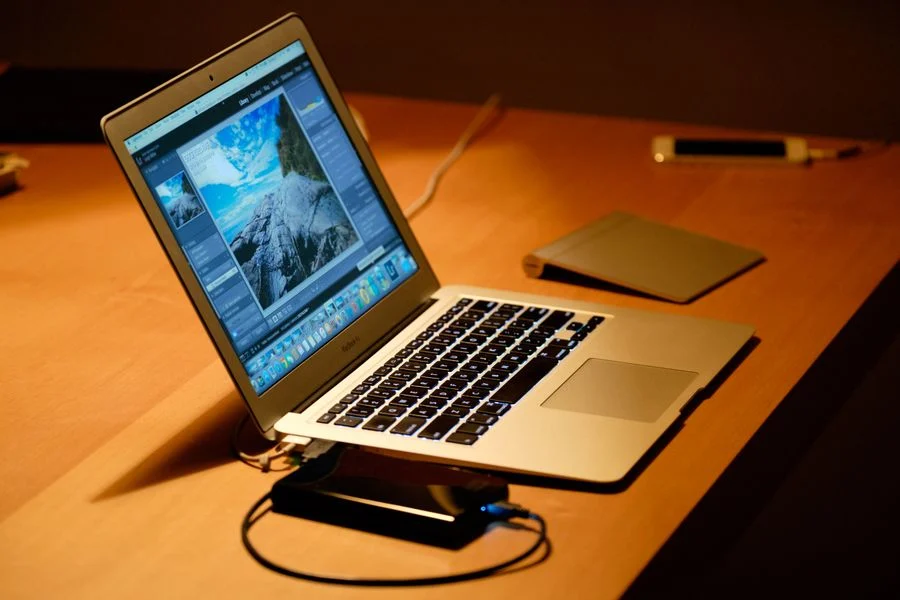
A gaming laptop wins on flexibility. You can play at a desk, move to a couch, or pack it for a trip without disconnecting a tower. That matters if you split time between home and school, travel for work, or share a living space where a permanent desk is not available.
A gaming PC wins on a fixed setup. The tower sits under or beside the desk, and you choose the monitor, keyboard, and mouse that suit you. If you already have a monitor and peripherals, the tower is the only new piece. If you need to compare portable options for campus life, my roundup of gaming laptops for college students covers the features that matter in dorms and shared rooms.
The common mistake is buying a laptop for portability and then never moving it. If the machine stays on the same desk every day, a tower usually gives you more for the same budget and easier service later. If you want a ready-made tower, my roundup of prebuilt gaming PCs is a good starting point.
Upgrades, Repairs, and Longevity
A gaming PC is the clear winner here. Standard ATX cases, M.2 storage, DDR5 memory, and PCIe graphics cards follow published standards, so you can replace a part when it fails or when you want more performance. Manufacturer manuals list supported memory speeds, power supply wattage, and clearance, so check those documents before buying parts.
A gaming laptop is more locked down. Many models let you swap storage and sometimes memory, but the CPU and GPU are soldered to the board. Repairs often go through the maker's service process, and replacement parts can be proprietary. Check the service manual for your exact model before you plan any work.
- Choose a PC if you want to replace a failed fan, power supply, or graphics card yourself.
- Choose a laptop if you are comfortable sending the device in for service when something breaks.
- On either platform, keep your data backed up so a repair does not become a data loss event.
Cooling, Noise, and Sustained Performance
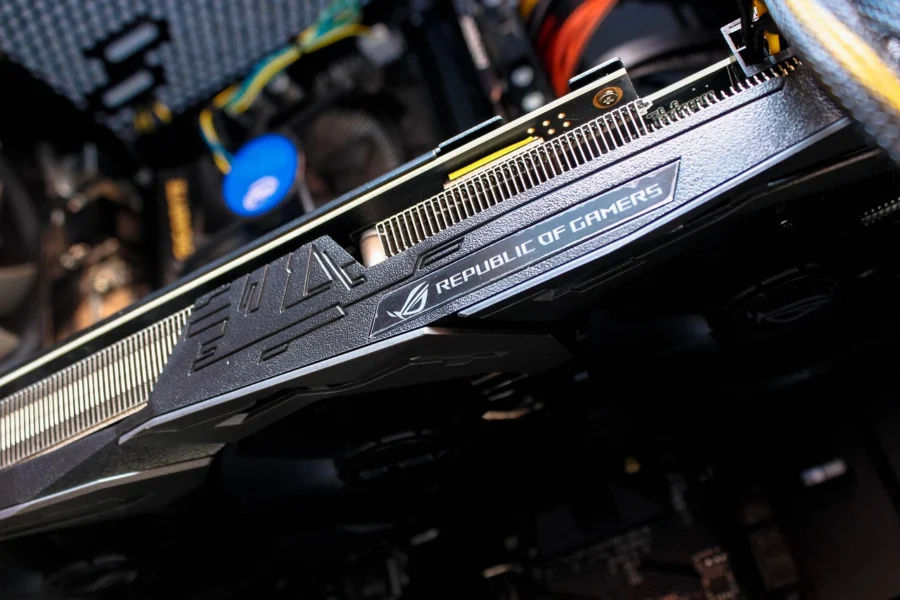
A gaming PC has more room for large fans, bigger heatsinks, and open airflow. That headroom usually means lower noise under load and steadier performance during long sessions. The exact numbers depend on the case, cooler, and graphics card, so read the spec sheets rather than assuming.
A gaming laptop packs the same class of components into a thin chassis. Fans must spin faster to move the same heat, and the system may reduce clock speeds to stay within thermal limits. That is normal behavior, not a defect, but it is a reason to read reviews that measure sustained load rather than short bursts.
If you play long sessions at a desk, a PC usually gives you a quieter and more consistent experience. If you need the machine to travel, accept the trade-off and keep the vents clear on a hard surface.
Display, Peripherals, and Everyday Use
A gaming laptop includes a screen, keyboard, and trackpad, so it works out of the box. You can add an external monitor, mechanical keyboard, and mouse at a desk, but the built-in panel may limit refresh rate or resolution compared with a standalone monitor. Check the panel specs in the manufacturer sheet.
A gaming PC needs a monitor and input devices, which adds to the setup cost and desk footprint. In return, you pick the panel size, refresh rate, and resolution you want, and you can upgrade the monitor later without replacing the whole system.
For schoolwork and office tasks, both work. A laptop is easier to carry to class or a meeting, while a PC benefits from a larger screen and a full keyboard for long typing sessions.
Which One Should You Choose
Use the lists below to match the choice to your situation. Be honest about how often you will actually move the machine and how much you want to tinker with parts.
Choose a Gaming Laptop If:
- You play in more than one place or need to bring the machine to class, work, or travel.
- You do not want to open a case or replace parts yourself.
- You have limited desk space and want one device for gaming, school, and everyday tasks.
- You accept that the whole device is the upgrade path and that sustained load may be louder than a desktop.
Choose a Gaming PC If:
- You play at a fixed desk and rarely need to move the machine.
- You want to upgrade the graphics card, memory, or storage over time.
- You prefer a quieter system under long loads and a monitor you choose yourself.
- You are willing to check manuals for power supply, clearance, and memory support before buying parts.
Common mistakes to avoid: buying a laptop for portability you will not use, buying a PC without checking the monitor and peripheral budget, and ignoring the charger or power supply requirements. For lithium-ion batteries in either device, a swollen, punctured, or overheating battery is a fire risk. Stop using and charging the device, do not puncture or press on the battery, use the charger the maker specifies, and take old batteries to a battery recycling drop-off rather than the trash.
Frequently Asked Questions
Is a gaming laptop or gaming PC better for long gaming sessions?
A gaming PC is usually better for long sessions because a larger case and cooler give more thermal headroom, which often means lower noise and steadier performance. A laptop can still work well if you keep vents clear and accept fan noise under load.
Can you upgrade a gaming laptop like a desktop?
Only in limited ways. Most gaming laptops allow storage swaps and sometimes memory upgrades, but the CPU and GPU are typically soldered. Check the service manual for your model before planning any upgrade or repair.
Do you need a monitor and keyboard with a gaming PC?
Yes, a desktop tower does not include a screen or input devices. Factor those into your setup plan and desk space. A gaming laptop includes them, though you can add external gear for a better desk experience.
Which option is easier to repair?
A gaming PC is generally easier to repair because it uses standard parts such as ATX power supplies and PCIe cards. Laptops often use proprietary parts and may need service through the manufacturer, so check the warranty terms first.
Final Thoughts
The single most important takeaway is to match the machine to where you actually play. A gaming laptop buys portability at the cost of upgrades and cooling headroom, while a gaming PC buys easier repairs and sustained performance at the cost of a fixed desk.
Pick the one you will use as intended, keep the vents or case clear, and check the manufacturer manual before you buy parts or plan a repair.

