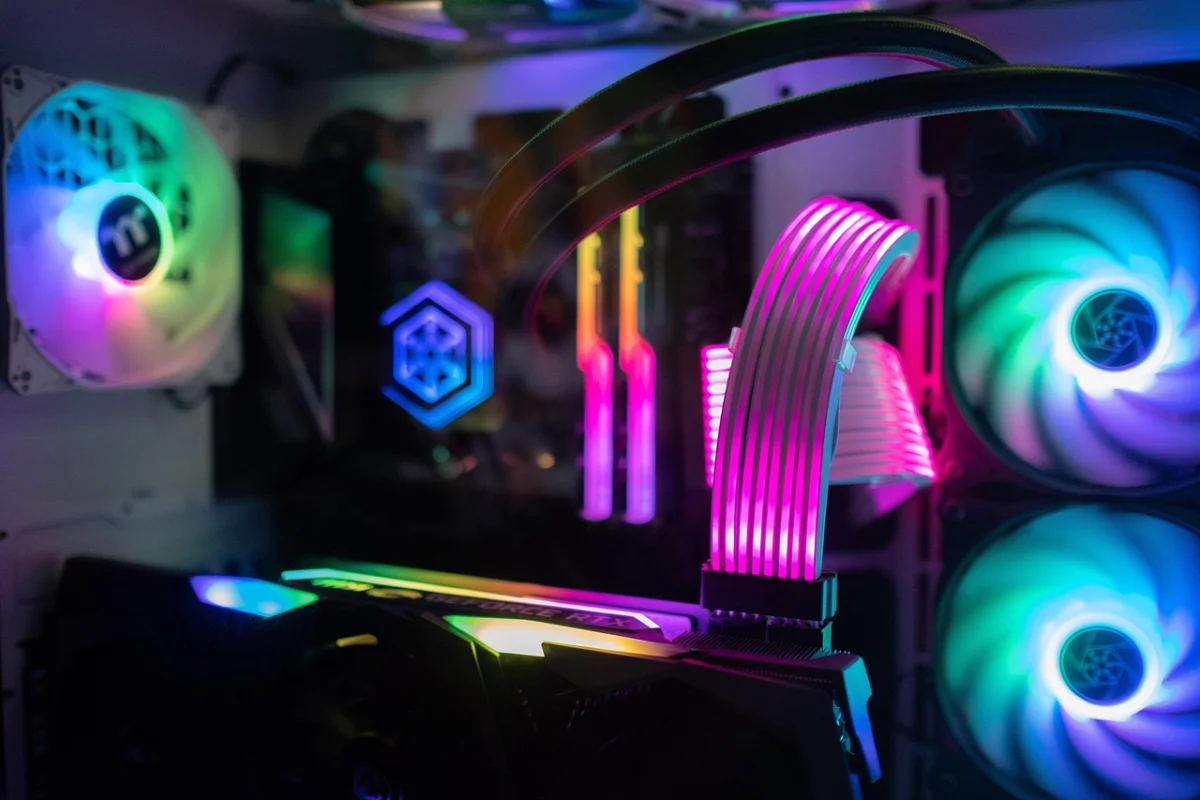
A prebuilt that looks fine on the product page can still disappoint once you plug it in. The graphics card may be a step below what 1440p needs, the power supply may leave no headroom for a later upgrade, or the case may run hot under a long session. Sorting through listings is mostly about matching the GPU tier to your resolution and checking that the rest of the build supports it.
I compared the Best Prebuilt Gaming PCs for 1440p Gaming by reading manufacturer spec sheets, cross-referencing stated ratings and certifications where the listing discloses them, and weighing verified buyer feedback against the hardware each build ships with. The goal is simple: find towers whose graphics card, memory, and power delivery line up with 1440p play without forcing you into a rebuild later.
My overall pick for best prebuilt gaming pcs for 1440p gaming is the KOTIN Gaming PC Desktop, i5-14400F. It pairs a mid-range 1440p graphics card with a 650W 80 PLUS Gold power supply and leaves two M.2 slots open for storage later. My top picks are just below.
Best Prebuilt Gaming PCs for 1440p Gaming at a Glance
| Product | PGH Score | ||
|---|---|---|---|

|
Best Overall KOTIN Gaming PC with i5-14400F and RTX 5060 Ti 8GB | 9.9 | Check Price on Amazon |

|
Best for 1440p Gaming KOTIN Gaming PC with Ryzen 7 9700X and RX 9070 XT | 9.9 | Check Price on Amazon |

|
HOENGAGER Panorama Gaming PC with Ryzen 7 5700X | 9.8 | Check Price on Amazon |

|
Best for 1080p Gaming LXZ Prebuilt Gaming PC Ryzen 7 8700F RTX 5060 16GB | 9.6 | Check Price on Amazon |

|
ASUS ROG G700 Gaming Desktop with RTX 5070 | 9.5 | Check Price on Amazon |

|
Best for 4K Gaming Skytech Gaming PC with Ryzen 7 9850X3D and RTX | 9.5 | Check Price on Amazon |
In-Depth Reviews
KOTIN prebuilt tower with Intel Core i5-14400F and GeForce RTX 5060 Ti 8GB, plus 16GB DDR4, 1TB Gen4 NVMe SSD, and 650W 80 Plus Gold power supply.
Key Facts
- Key Spec
- Intel Core i5-14400F and GeForce RTX 5060 Ti 8GB
- Memory
- 16GB DDR4 (2 x 8GB) in four DIMM slots
- Storage
- 1TB PCIe Gen4 NVMe SSD, two M.2 slots
- Power
- 650W 80 Plus Gold
Pros
- +Core i5-14400F and RTX 5060 Ti 8GB target 1080p and 1440p
- +Four DDR4 DIMM slots and two M.2 slots for upgrades
- +Six-heat-pipe air cooler with four 120mm ARGB fans
- +Windows 11 Home preinstalled with a 1-year limited warranty
Cons
- −8GB VRAM limits headroom at 1440p with high textures
- −DDR4 memory rather than the newer DDR5 standard
- −Monitor must connect to graphics card ports, not motherboard
Detailed Review
The KOTIN prebuilt centers on an Intel Core i5-14400F paired with a GeForce RTX 5060 Ti 8GB, a combo aimed at high-FPS 1080p and 1440p play. The 1TB PCIe Gen4 NVMe SSD covers Windows 11 Home, a few large titles, and everyday files without juggling drives.
For cooling, a six-heat-pipe CPU air cooler sits alongside four 120mm ARGB fans, which suits a desk build where airflow matters more than a sealed glass front. I see this fitting a student or first-time builder who wants to plug in a monitor and play rather than assemble parts.
The 650W 80 Plus Gold power supply, four DDR4 DIMM slots, and two M.2 slots leave room for later memory and storage additions. The 8GB of VRAM on the graphics card is the honest ceiling here, so 1440p with high textures is where I would set expectations.
KOTIN prebuilt gaming desktop with Ryzen 7 9700X, RX 9070 XT 16GB, 32GB DDR5, 1TB SSD, and an 11.3-inch smart display for real-time system monitoring.
Key Facts
- Processor
- AMD Ryzen 7 9700X
- Graphics
- Radeon RX 9070 XT 16GB
- Memory
- 32GB DDR5
- Storage
- 1TB PCIe 4.0 NVMe SSD
Pros
- +11.3-inch display monitors CPU and GPU usage in real time
- +360mm liquid cooler manages heat during long gaming sessions
- +850W Gold PSU and WiFi 7 reduce upgrade and cable hassle
- +Windows 11 pre-installed and assembled in California
Cons
- −Monitor must connect to graphics card ports, not motherboard
- −VGA and DVI monitors need an HDMI or DP adapter
Detailed Review
The 11.3-inch smart display sets this KOTIN build apart from typical prebuilts by showing live CPU and GPU usage, temperatures, memory, and SSD status without extra software. Under the glass, a Ryzen 7 9700X and RX 9070 XT 16GB pair with 32GB DDR5 and a 1TB PCIe 4.0 NVMe SSD, which is a sensible foundation for 1440p and 4K gaming, streaming, or content work. The 360mm ARGB liquid cooler and 850W 80 PLUS Gold PSU handle the thermal and power side, and WiFi 7 plus Bluetooth cover wireless peripherals.
I rate this a strong fit for someone who wants a complete system without building, and the smart display genuinely helps monitor thermals during long sessions. The main catch is the display output routing. HDMI or DP monitors must plug into the graphics card ports on the lower back, and VGA or DVI screens need an adapter, which is easy to miss on first setup.
Prebuilt tower with AMD Ryzen 7 5700X, GeForce RTX 5060, 32GB DDR4 RAM, 1TB NVMe SSD, and a 240mm AIO in a white panoramic glass case.
Key Facts
- CPU
- AMD Ryzen 7 5700X, 8 cores / 16 threads, up to 4.6GHz boost
- GPU
- GeForce RTX 5060
- Memory
- 32GB DDR4
- Storage
- 1TB NVMe SSD, second empty M.2 slot
Pros
- +Eight cores and 16 threads for streaming and creative work
- +RTX 5060 supports ray tracing and DLSS 4
- +Second M.2 slot open for a future storage upgrade
- +240mm AIO liquid cooler and software-controlled ARGB fans
Cons
- −DDR4 memory limits upgrade path versus newer DDR5 platforms
- −Panoramic glass case needs careful airflow planning
- −White finish shows dust and fingerprints more easily
Detailed Review
The HOENGAGER Panorama pairs an 8-core, 16-thread Ryzen 7 5700X that boosts to 4.6GHz with a GeForce RTX 5060, so esports titles and AAA single-player games have both the CPU headroom and the ray tracing and DLSS 4 support they need. The 32GB of DDR4 RAM and 1TB NVMe SSD cover multitasking and fast load times, and a second empty M.2 slot leaves room for a future drive. The 240mm AIO and software-controlled ARGB fans sit in a white panoramic tempered glass case, which is the part I would weigh most carefully. Glass on two sides looks clean, but it also means less passive airflow than a mesh front, so the fan curves and ambient room temperature matter more than they would in an airflow-first case. DDR4 also caps how far this platform can grow compared with newer memory standards. For a plug-and-play Windows 11 desktop aimed at 1080p and 1440p gaming plus streaming, the spec sheet lines up well, and the dual M.2 layout gives it a little room to grow.
LXZ prebuilt desktop with Ryzen 7 8700F, RTX 5060 8GB GDDR7, 16GB DDR5, 1TB NVMe SSD, and six RGB fans in a white tempered glass case.
Key Facts
- CPU
- AMD Ryzen 7 8700F, 4.1GHz base, up to 5.0GHz boost
- GPU
- GeForce RTX 5060 8GB GDDR7
- Memory
- 16GB DDR5, expandable to 256GB
- Storage
- 1TB NVMe 3.0 SSD
Pros
- +Eight-core Ryzen 7 8700F with 5.0GHz boost clock
- +Six RGB fans and tempered glass side panel
- +Three DisplayPort plus one HDMI for up to four monitors
- +1TB NVMe SSD and 16GB DDR5 memory
Cons
- −Seven USB 2.0 ports and only three USB 3.0
- −8GB VRAM may limit 1440p ray tracing headroom
- −650W PSU leaves modest ceiling for future GPU upgrades
Detailed Review
The LXZ Prebuilt Gaming PC pairs an AMD Ryzen 7 8700F with an RTX 5060 8GB GDDR7 and 16GB of DDR5, a combination aimed at high-FPS play on 1080p and 1440p monitors. Six Prism 4 RGB fans sit behind a tempered glass panel in the Dreamer white case, and the tool-free side panel makes cleaning and part swaps straightforward.
The 1TB NVMe 3.0 SSD covers a starter game library, and the 3x DisplayPort plus 1x HDMI outputs drive up to four monitors for a sim rig or a creator desk. I would aim this build at a 1080p high-refresh setup where the 8GB of VRAM is less of a squeeze, since ray tracing at 1440p eats into that buffer.
The 650W PSU and seven USB 2.0 ports are the practical limits here, with only three USB 3.0 slots for faster peripherals. For a first prebuilt or a mid-range 1440p machine, the 8700F and RTX 5060 pairing is a sensible starting point.
ASUS ROG G700 is a prebuilt tower with Core Ultra 7 265F and RTX 5070, 16GB DDR5, 1TB PCIe 4 SSD, and a 58L dual-glass chassis.
Key Facts
- Key Spec
- Intel Core Ultra 7 265F, RTX 5070, 16GB DDR5, 1TB PCIe 4 SSD
- Connectivity
- 2.5Gbps Ethernet, Wi-Fi 6
- Size
- 9.45 x 20.05 x 18.88 inches
- Included
- RGB keyboard and mouse
Pros
- +Tool-less access simplifies future component upgrades
- +2.5Gbps Ethernet and Wi-Fi 6 for fast networking
- +Quad-fan cooling with dust filters for reliability
Cons
- −16GB DDR5 may limit heavy multitasking and future upgrades
- −40.4-pound tower is difficult to move often
- −No USB-C port listed among connectivity options
Detailed Review
The ASUS ROG G700 pairs a Core Ultra 7 265F with an RTX 5070 and 16GB of DDR5, a combination that suits 1440p gaming and light content work. Its 58L dual-glass chassis supports triple-slot graphics cards, and tool-less access makes swapping components straightforward.
This works best for a desk-bound setup where the 40.4-pound tower stays put, since moving it regularly would be a chore. The 1TB PCIe 4 SSD provides quick load times, and the included RGB keyboard and mouse get you playing right away.
Connectivity covers 2.5Gbps Ethernet and Wi-Fi 6, which is enough for lag-free online matches. The 16GB RAM is the main constraint for heavy multitasking, and there is no USB-C port listed. For a prebuilt that is easy to upgrade later, this fits a gamer who wants a simple start.
A prebuilt tower pairing an AMD Ryzen 7 9850X3D, RTX 5080 16GB GDDR7, 32GB DDR5 6000, and a 2TB NVMe SSD in the King 95 case.
Key Facts
- Key Spec
- Ryzen 7 9850X3D, RTX 5080 16GB GDDR7, 32GB DDR5 6000, 2TB NVMe SSD
- Connectivity
- Wi-Fi 5 802.11ac, HDMI, DisplayPort, USB 2.0, 3.0, 3.2 Gen1
- Compatibility
- Windows 11 Home 64-bit
- Size
- 18.7 x 11.8 x 17.4 inches
Pros
- +Ryzen 7 9850X3D and RTX 5080 16GB GDDR7 pairing
- +32GB DDR5 6000 memory suits gaming and creator work
- +2TB NVMe M.2 SSD for big game libraries
- +Free keyboard and mouse included in the box
Cons
- −Wi-Fi 5 802.11ac is a dated wireless standard here
- −Graphics card brand may vary between units
- −One year parts and labor warranty is short for the cost
Detailed Review
The Ryzen 7 9850X3D and RTX 5080 16GB GDDR7 pairing is the core of this Skytech build, and it lines up with high-refresh 1440p or 4K displays where CPU and GPU both matter.
The 2TB NVMe M.2 SSD and 32GB DDR5 6000 kit cover a large game library and background apps, while the 360mm ARGB AIO handles the CPU's sustained load.
The Wi-Fi 5 802.11ac adapter is the weak point for me, and the graphics card brand may vary between units. I would pair this with a wired connection or a Wi-Fi 6E router.
FAQs
What graphics card do you need for 1440p gaming?
A card in the RTX 5060 Ti or RTX 5070 class is a sensible starting point for 1440p, and the listings here pair those GPUs with CPUs that will not hold them back. Higher refresh 1440p panels and ray tracing push you toward the RTX 5070 and RX 9070 XT builds. Check the card maker’s recommended power supply wattage and connector type before any swap.
Is 16GB of RAM enough for a 1440p prebuilt?
16GB covers most 1440p gaming, but 32GB gives you room for streaming, browser tabs, and creative apps running alongside a game. Several picks here ship with 32GB already, and the KOTIN i5-14400F build leaves four DIMM slots open if you would rather add memory later. Match the kit to the motherboard’s supported list before buying.
Can you upgrade a prebuilt gaming PC later?
Upgrade room varies by build, so check the case clearance, power supply wattage, and open drive bays before you buy. The ASUS ROG G700 uses tool-less access and a 58L chassis, while the HOENGAGER Panorama reserves a second M.2 slot for storage. Confirm the graphics card length and cooler height against the case spec sheet first.
Do prebuilt gaming PCs use proprietary parts?
Most towers in this group use standard ATX or Micro-ATX parts, which keeps future swaps straightforward. The Skytech build uses an 850W Gold ATX 3 power supply, and the LXZ tower lists a 650W unit with room for memory expansion. When you change a power supply or graphics card, use only the cables that came with that power supply.
Final Thoughts
For 1440p, the graphics card sets the ceiling and everything else either supports it or gets in the way. Cooling, power delivery, and open upgrade slots matter more than a flashy case, because those are the parts you cannot easily fix after the fact. If you want a broader look at how these towers fit into a full build, the gaming PCs and builds section covers the surrounding components.
My overall pick is the KOTIN Gaming PC Desktop, i5-14400F. It suits a 1440p player who wants a mid-range card, a Gold-rated 650W supply, and open DIMM and M.2 slots for later upgrades without paying for hardware they will not use. For a lower spend, the HOENGAGER Panorama Prebuilt Gaming PC pairs a 240mm liquid cooler and 32GB of memory with a second M.2 slot for storage. Skip both if you need a specific GPU brand or a compact case, since these are full-size towers. Check the current price on Amazon, and the right pick comes down to matching the card to your monitor rather than chasing the biggest number.