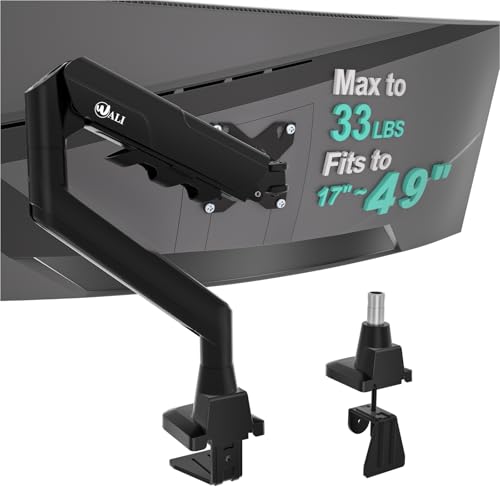
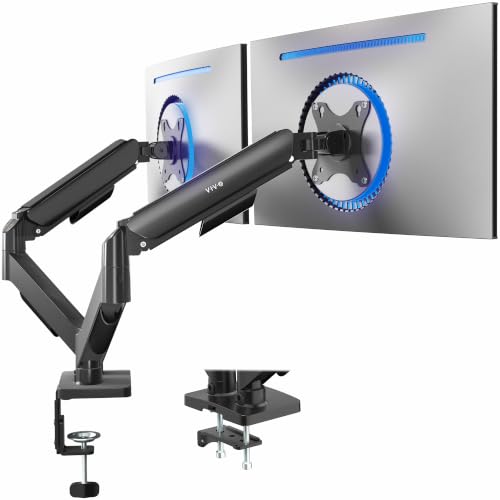
Three monitors on their stock bases can eat most of a desk before you place a keyboard. The center screen sits low, the side screens angle inward, and the whole arrangement creeps forward until there is no room for a notebook or a cup of coffee. A triple monitor arm lifts all three panels off the surface and puts them on one pole, but the listings rarely make the important numbers easy to find: how much each arm actually holds, what VESA pattern the plates accept, and whether the clamp fits your desk thickness.
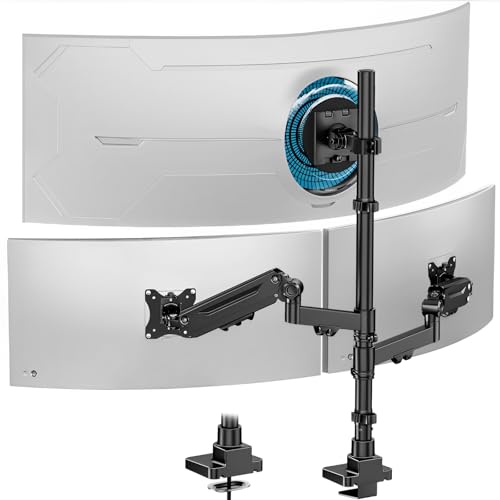
I compared the Best Monitor Arms for 3 Monitors by reading the manufacturer spec sheets, checking the stated weight ranges and VESA compatibility, and cross-referencing the installation options each brand lists. The models that stand out are the ones that state their limits clearly and include the hardware for both clamp and grommet mounting. My overall pick for best monitor arms for 3 monitors is the Triple Monitor Mount up to 49 inches. Its center arm is rated for a 49 inch ultrawide while the gas spring side arms handle up to 35 inch panels, which covers a mixed-size triple setup without adding a second pole. My top picks are just below.
Best Monitor Arms for 3 Monitors at a Glance
| Product | PGH Score | ||
|---|---|---|---|
|
Best Overall PUTORSEN Triple Monitor Mount for 49 Inch Screens | 9.9 | Check Price on Amazon |

|
Best for Triple Setup HUANUO Triple Monitor Mount for 17-32 Inch Screens | 9.7 | Check Price on Amazon |

|
Best for Triple Setups ErGear Triple Monitor Mount for 13-32 Inch Screens | 9.6 | Check Price on Amazon |

|
Best for Triple Displays WALI Triple Monitor Mount for 13-32 Inch Screens | 9.5 | Check Price on Amazon |

|
MOUNTUP Triple Monitor Stand Mount for Screens | 9.5 | Check Price on Amazon |

|
ErgoFocus Triple Monitor Desk Mount for 32" | 9.5 | Check Price on Amazon |
In-Depth Reviews
A triple monitor arm with a center mount for up to 49 inches and gas spring side arms for up to 35 inches, holding 44 lbs total.
Key Facts
- Key Spec
- Center Arm Supports Up to 49 Inches and 44 lbs
- Compatibility
- 75x75mm and 100x100mm VESA Patterns
- Adjustment
- Tilt 35 Degrees, Swivel 90 Degrees, Rotate 360 Degrees
- Mounting
- C-Clamp for Desk Thickness 0.4 to 1.8 Inches
Pros
- +Center arm handles a 49 inch ultrawide up to 44 lbs
- +Gas spring arms allow smooth height and extension changes
- +Cable management keeps wires hidden behind the mount
- +Cast aluminum base and arms with reinforced head structure
Cons
- −Center arm max 44 lbs limits heavier 49 inch panels
- −Side arms cap at 35 inches and 26.4 lbs each
- −C-clamp only fits desk thickness 0.4 to 1.8 inches
Detailed Review
The PUTORSEN triple mount stands out for its center arm rated to 44 lbs, which is the figure that matters if you run a 49 inch ultrawide. The side gas spring arms each hold up to 26.4 lbs and fit monitors up to 35 inches, so a mixed setup of one large center and two smaller sides is the intended shape.
Adjustment covers tilt 35 degrees, swivel 90 degrees, and 360 degree rotation, with the center screen height adjustable and the gas spring arms extending and retracting. Cable management hides wires behind the mount, which keeps a three screen desk from turning into a tangle.
I would check your heaviest monitor against the 44 lb center limit before buying, since a loaded 49 inch panel can approach that ceiling. The C-clamp fits desks from 0.4 to 1.8 inches thick, and the cast aluminum base and reinforced head are built for the load. For a three screen desk with one large center display, this is a sensible fit.
HUANUO Triple Monitor Mount fits three 17-32 inch screens, each 4.4-17.6 lbs, with VESA 75x75 or 100x100. Offers swivel, tilt, rotation, and clamp or grommet mounting.
Key Facts
- Key Spec
- Fits 17-32 inch screens, 4.4-17.6 lbs per arm
- Connectivity
- VESA 75x75mm or 100x100mm
- Compatibility
- Desk thickness 0.39-3.15 inches (C-clamp), 0.39-2.36 inches (grommet)
- Size
- 17 x 12 x 7 inches
Pros
- +Accommodates three monitors up to 32 inches each
- +VESA 75x75 or 100x100 compatibility covers many screens
- +Swivel, tilt, and rotation for flexible viewing angles
- +Two mounting options: C-clamp or grommet
Cons
- −Each arm holds only up to 17.6 lbs
- −No height adjustment mentioned beyond tilt and swivel
- −Desk thickness limited to 3.15 inches for clamp
Detailed Review
HUANUO's triple monitor mount supports three screens from 17 to 32 inches, each weighing between 4.4 and 17.6 pounds, with VESA 75x75 or 100x100 mounting holes. The arms swivel, tilt, and rotate so you can set landscape or portrait orientation, which suits coders and traders who want a vertical stack. I rate this a solid fit for a home office where desk space is tight, since elevating three monitors frees up room for a keyboard and mouse. The C-clamp fits desk thickness from 0.39 to 3.15 inches, while the grommet option handles 0.39 to 2.36 inches. Keep in mind that each arm has a 17.6-pound limit, so heavier 32-inch panels may exceed it, and the mount does not offer height adjustment beyond the arm's fixed position. For my money, this works best for three mid-size monitors on a sturdy desk.
ErGear triple monitor mount for three 13-32 inch screens, each arm rated to 19.8 lbs with tilt, swivel, and 360-degree rotation.
Key Facts
- Key Spec
- 19.8 lbs per arm
- Compatibility
- 13-32 inch screens, VESA 75 x 75 and 100 x 100 mm
- Size
- 13-32 Inch
- Included
- Dual C-clamp and grommet mount options
Pros
- +Dual C-clamp base increases desktop contact for steadier support
- +Reinforced aluminum-alloy arms with tight pole connections limit wobble
- +Independent arms adjust with one hand and hold without retightening
- +Built-in cable routing keeps three-monitor desks tidier
Cons
- −Grommet mount requires desk thickness between 0.39 and 3.15 inches
- −Three 32-inch screens near 19.8 lbs each push the mount to its limit
Detailed Review
ErGear's triple monitor mount carries three 13 to 32 inch screens on arms rated to 19.8 lbs each, with VESA 75 x 75 and 100 x 100 patterns covering most panels. The dual C-clamp base widens desktop contact, which is the part that usually decides whether a three-screen desk stays steady.
Each arm tilts +80 to -50 degrees, swivels 90 degrees, and rotates 360 degrees, so side-by-side, stacked, or mixed layouts all work without retightening. Height reaches 36.6 inches and arms extend 20.7 inches forward, useful for pushing screens back on a deep desk.
For my money, this suits a compact desk where three original stands would eat the surface. Just weigh each monitor first, since heavier 32 inch panels sit close to the per-arm limit.
WALI triple monitor desk mount for 13-32 inch screens with 22 lb per arm capacity and VESA 75/100mm compatibility.
Key Facts
- Key Spec
- 22 lbs per arm
- Compatibility
- 13-32 inch screens, VESA 75x75mm or 100x100mm
- Size
- 5.62 x 7.99 x 17.24 inches
- Included
- Mount, mounting hardware kit, user manual
Pros
- +Three arms each rated for 22 lbs
- +VESA 75 and 100mm detachable plates
- +Cable management clips along each arm
- +C-clamp and grommet base included
Cons
- −Heavy 10-pound mount may need desk reinforcement
- −No height adjustment for center arm mentioned
- −C-clamp base requires thick enough desk edge
Detailed Review
The WALI triple monitor mount carries three screens up to 32 inches, with each arm rated for 22 lbs. That per-arm limit matters if you run a heavier 32-inch panel on one side and a lighter 24-inch on the other. The VESA plates detach for easier mounting, which I prefer when aligning three displays for a trading or editing desk.
The side arms extend, retract, tilt, swivel, and rotate to portrait, so a vertical code or chat column is possible without a separate stand. Built-in cable management runs wires along the arms. The 10-pound mount itself needs a solid desk edge for the C-clamp or a drilled grommet hole.
For my money, this suits a three-screen work or sim setup where desk space is tight. Check your desk thickness and monitor weight against the stated limits before installing.
MOUNTUP triple monitor desk mount for screens up to 27 inches, with each arm rated to hold 4.4 to 19.8 pounds.
Key Facts
- Key Spec
- Each Arm Holds 4.4-19.8 lbs
- Compatibility
- Screens Up to 27 Inches, VESA 75x75mm and 100x100mm
- Mounting
- C-Clamp (0.39-3.15 in) or Grommet (0.39-2.36 in)
- Adjustment
- Tilt -45/+90 Degrees, Swivel 90 Degrees, Rotation 360 Degrees
Pros
- +Three articulating arms with tilt, swivel, and rotation
- +Supports both 75x75mm and 100x100mm VESA patterns
- +Integrated cable management keeps wires tucked
- +Quick-release VESA plates simplify monitor attachment
Cons
- −Center screen height adjustment only, side arms fixed
- −14.73 pound stand needs a sturdy desk surface
- −C-clamp desk thickness capped at 3.15 inches
Detailed Review
The MOUNTUP triple monitor mount fits flat or curved screens up to 27 inches, with each arm rated for 4.4 to 19.8 pounds. That weight window suits most 24 to 27 inch displays, and the 75x75mm and 100x100mm VESA patterns cover the common mounting layouts.
I rate the articulating arms as the useful part here, since tilt from -45 to +90 degrees, 90 degree swivel, and 360 degree rotation let you angle side screens inward for a wrap-around view. Cable management runs wires along the arms, and the quick-release VESA plates make mounting simpler than threading screws blind.
Height adjustment applies to the center screen only, so side monitors sit at a fixed level. The 14.73 pound steel frame also needs a solid desk, and the C-clamp tops out at 3.15 inches of thickness. For a three-screen work or gaming desk, the range is sensible if your panels fall inside that weight band.
ErgoFocus triple monitor desk mount holds three 13-32 inch screens at 19.8 lbs each with 75x75mm and 100x100mm VESA patterns.
Key Facts
- Key Spec
- Holds up to 19.8 lbs per arm
- Compatibility
- 13-32 inch screens, 75x75mm and 100x100mm VESA
- Mounting Options
- C-clamp (0.39-3.15 in) or grommet (0.39-1.97 in)
- Adjustment
- 360 degree rotation, 180 degree swivel, 90 degree tilt
Pros
- +Supports 13-32 inch screens at 19.8 lbs per arm
- +Dual mounting options fit varied desk thicknesses
- +Full tilt, swivel, and rotation for viewing angles
- +Cable management channels reduce desk clutter
Cons
- −Heavy-duty build suits stationary setups, not frequent repositioning
- −Grommet mount requires desk thickness between 0.39 and 1.97 inches
Detailed Review
The ErgoFocus triple monitor desk mount supports three screens from 13 to 32 inches, with each arm rated for 19.8 lbs. That per-arm limit matters for heavier 32-inch panels, so I would confirm monitor weight before buying.
Two mounting options cover different desks. The C-clamp fits surfaces from 0.39 to 3.15 inches thick, while the grommet base works on 0.39 to 1.97 inch desks. The 75x75mm and 100x100mm VESA patterns match most monitors.
Each arm rotates 360 degrees, swivels 180 degrees, and tilts 90 degrees up or down. Integrated cable management keeps wires tucked along the arms, which helps on a shared desk where three monitors create clutter.
FAQs
Can a triple monitor arm hold three 32 inch screens?
Several models in this comparison list a 32 inch maximum per arm, but the weight limit matters just as much as the diagonal. A 32 inch panel can weigh anywhere from around 10 to 20 lbs depending on the panel type and stand, so check the arm’s stated weight range against your monitor’s actual weight with the stand removed. The HUANUO and ErgoFocus mounts both list a 32 inch ceiling, while the MOUNTUP tops out at 27 inches.
What desk thickness works with a C-clamp triple monitor mount?
Most triple monitor arms in this group list a C-clamp range starting around 0.39 inches and extending to roughly 3.15 inches, with grommet mounting usually covering a slightly narrower span. Measure your desk edge before ordering, because a thick hardwood top or a beveled edge can fall outside the clamp range. The ErGear model lists the widest C-clamp range at 0.39 to 3.54 inches, and it uses a dual clamp base for more contact area.
Is it worth mounting three monitors instead of using stock stands?
Mounting three panels frees the desk surface and lets you align the screens at the same height, which is hard to do with mismatched stock stands. The trade-off is installation time and the need to verify VESA patterns and weight limits before you buy. If you run a compact desk or a shared workspace, the reclaimed surface area alone often justifies the switch. For a single-screen setup, a single monitor arm is usually the simpler route.
How do you keep a triple monitor mount from wobbling?
Wobble usually comes from a clamp that is not tight enough, a desk top that flexes, or arms loaded past their stated capacity. Tighten the clamp per the manual, keep each arm within its listed weight range, and route cables along the built-in channels so they do not pull on the arms. The ErGear and PUTORSEN mounts both use reinforced bases, but no mount eliminates movement if the desk itself is unstable. Stay within the manufacturer’s stated weight capacity and fit range, and confirm the VESA pattern and monitor weight before installation.
Final Thoughts
The deciding factors for a triple monitor arm are the per-arm weight rating, the VESA pattern your monitors use, and whether the clamp or grommet base fits your desk. Get those three right and the rest comes down to how much adjustment range you want. The Triple Monitor Mount up to 49 inches is my overall pick because its center arm is rated for a 49 inch ultrawide while the gas spring side arms handle up to 35 inch panels, making it a fit for a mixed-size triple setup that would overwhelm a standard three-arm mount. If you want to spend less, the WALI Adjustable Triple Monitor Mount for 13-32 covers three 13 to 32 inch screens at up to 22 lbs per arm and includes both clamp and grommet hardware, which suits a straightforward three-screen office or gaming desk. Skip a triple arm entirely if your monitors lack 75x75mm or 100x100mm VESA holes, or if your desk edge is too thick for the listed clamp range. A monitor arms and mounts category page has more options if you want to compare other configurations. Check the current price on Amazon, and the right mount will settle the question of where all three screens are supposed to go.