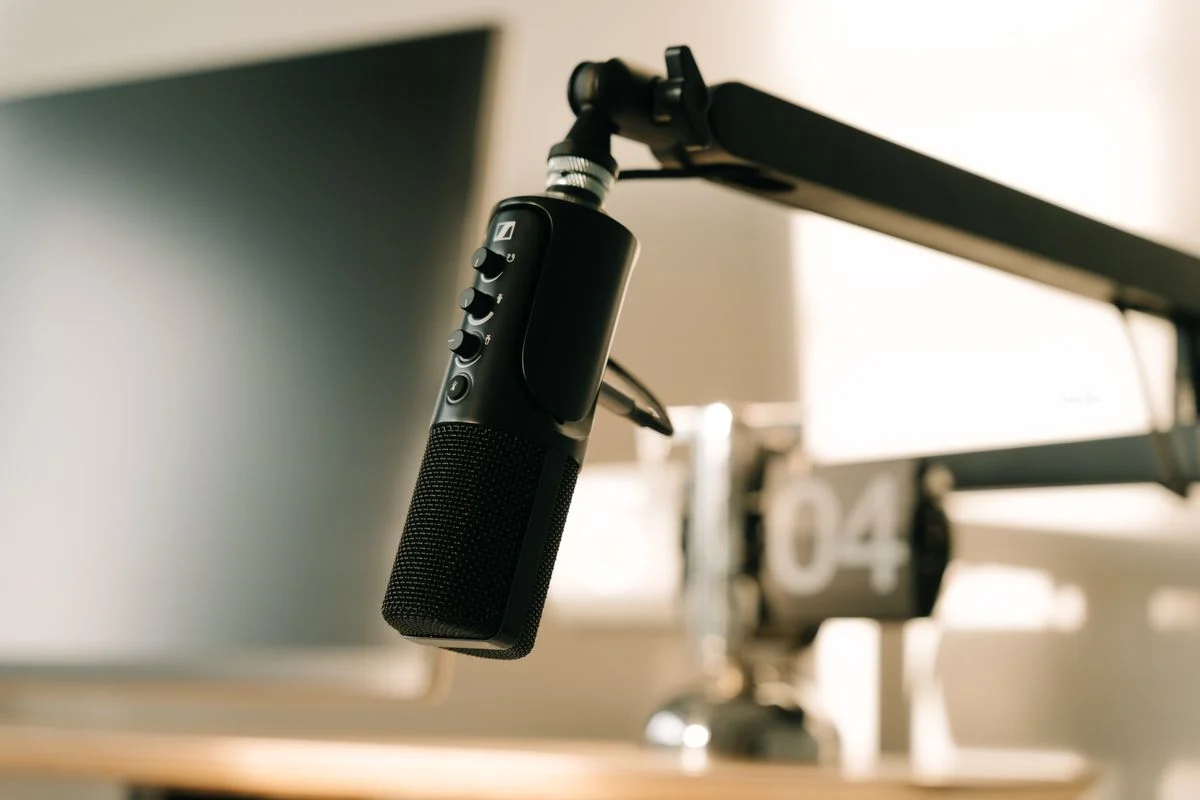
Nothing derails a Discord call faster than teammates hearing your mechanical keyboard over every callout, or a mic that clips the moment you raise your voice. Most USB gaming microphones look similar in the listing photos, but the differences that matter show up in the pickup pattern, the mute control, and whether you can hear yourself without delay.
I compared the Best USB Microphones for Gaming by reading the manufacturer spec sheets, checking stated pickup patterns and connection types, and looking at what each kit actually includes in the box. The models that hold up are the ones with a cardioid pattern that focuses on your voice, a mute button you can reach without looking, and a stand or boom arm that keeps the mic off your desk.
My overall pick for best usb microphones for gaming is the MRSDY USB Gaming Microphone for PC with Noise. It pairs a noise reduction mode with a quick-mute button on the bottom and a headphone jack for latency-free monitoring, which covers the basics most people need for voice chat and streaming. My top picks are just below.
Best USB Microphones for Gaming at a Glance

In-Depth Reviews

MRSDY USB condenser microphone with RGB lighting, noise cancellation, mute button, gain knob, and 3.5mm headphone jack for real-time monitoring.
Key Facts
- Connectivity
- USB
- Compatibility
- PC, Computer, PS4, PS5, Mac
- Size
- 3.54 x 3.54 x 6.3 inches
- Weight
- 0.55 pounds
Pros
- +Plug-and-play USB connection needs no drivers or software
- +Headphone jack supports 3-pole TRS and 4-pole TRRS monitoring
- +Mute button changes RGB to solid green for clear status
- +Gain knob adjusts sensitivity for quiet or loud voices
Cons
- −No XLR output limits use with audio interfaces
- −Stand lacks boom arm compatibility without adapter
Detailed Review
The MRSDY USB microphone uses a condenser capsule and adds a 3.5mm stereo headphone output for real-time monitoring without latency, which matters when you need to hear your own voice during a stream or call. A quick-mute button sits on the bottom, and the RGB shifts to solid green when muted so you can see the status at a glance.
The noise cancellation function targets typing and clicking sounds, and the gain knob lets you push sensitivity for quiet speech. I see this working for a student on Zoom or a Discord regular who wants a single USB cable to a PC, PS4, PS5, or Mac. The included 78-inch cable reaches most desk setups.
The stand is a basic desktop piece, so if you plan to mount the mic on a boom arm you will need to check thread compatibility. For a simple desk setup, the plug-and-play approach and headphone monitoring cover the basics well.

USB condenser gaming microphone with noise cancellation, mute knob, reverb adjustment, and RGB lighting. Includes boom arm, desk clamp, shock mount, and pop filter.
Key Facts
- Connectivity
- USB
- Compatibility
- Windows, macOS, PS4, PS5
- Included
- Boom arm, desk clamp, shock mount, pop filter
- Weight
- 1.79 pounds
Pros
- +Boom arm and desk clamp included for space saving
- +USB connection needs no drivers on supported systems
- +Mute knob for quick silencing mid-game
- +Shock mount and pop filter address vibration and plosives
Cons
- −No XLR output for dedicated audio interfaces
- −Weight of 1.79 pounds adds load to boom arm
- −No headphone monitoring jack despite monitoring mention
Detailed Review
The ONIKUMA Gaming USB Microphone arrives as a full kit with a boom arm, desk clamp, shock mount, and removable pop filter, so nothing extra is needed to get it on a desk. The USB connection runs on Windows, macOS, PS4, and PS5 without drivers, which keeps setup simple for Discord, Twitch, or YouTube.
A dedicated knob handles mute, reverb adjustment, and RGB lighting colors, putting those controls within reach during a stream. The noise cancellation feature is aimed at keyboard clicks and fan noise, which suits late-night comms or shared rooms. I would point students and remote workers toward this for calls and podcasts where a simple USB mic fits better than an interface setup.
The 1.79-pound weight is heavier than many USB mics, so the included boom arm needs a solid clamp point on the desk. There is also no XLR output, which rules out upgrading to a dedicated audio interface later.

FDUCE M160 is a USB condenser gaming mic with a cardioid pattern, gradient RGB, quick mute, gain knob, and headphone monitoring jack.
Key Facts
- Connectivity
- USB (USB A to Type-C adapter included)
- Compatibility
- PC, laptop, MacBook, PS4/5, tablets, mobile phones
- Included
- Microphone, 6.6 ft USB cable, USB A to Type-C adapter, foldable tripod, user manual
- Weight
- 0.71 lb
Pros
- +Cardioid pattern suppresses off-axis background noise
- +USB connection works without extra driver downloads
- +Gain knob adjusts volume on the fly during gaming
- +Mute button shows red RGB for clear status
Cons
- −Condenser design picks up more room noise than dynamic mics
- −Tripod stand lacks boom arm reach for desk positioning
Detailed Review
The FDUCE M160 centers on a cardioid condenser capsule that aims to capture clear front-facing voice while suppressing off-axis room noise. Its USB connection is plug-and-play across PC, laptop, MacBook, PS4/5, tablets, and phones, with a USB A to Type-C adapter included for the latter.
A headphone jack allows real-time voice monitoring, and the gain knob adjusts volume without software. The gradient RGB changes color automatically, and a long press toggles it off for a cleaner look.
This works best for a beginner streamer or student who wants a single-cable desk mic with mute status visible at a glance. The condenser capsule will pick up more room noise than a dynamic mic, so a quiet room helps.

USB condenser gaming microphone with a cardioid pattern, 25mm diaphragm, 192kHz sampling, touch mute, and gradient RGB that goes dark when muted.
Key Facts
- Key Spec
- 192kHz Sampling Rate
- Connectivity
- USB and 3.5mm Headphone Jack
- Compatibility
- PS4, PS4 Pro, PS5, Desktop, Laptop
- Included
- Detachable USB Cable (about 6 ft)
Pros
- +Touch mute sensor with RGB off state for clear mute confirmation
- +3.5mm headphone jack for real-time voice monitoring
- +Detachable metal pop filter and shock mount reduce plosive and vibration noise
- +Plug and play over USB with PS4, PS5, desktop, and laptop
Cons
- −No XLR output limits upgrade path to mixers or audio interfaces
- −192kHz sampling rate exceeds what most voice chat platforms transmit
Detailed Review
The COCONISE ME6-C centers on a one-touch mute sensor that kills the audio and the gradient RGB together, so a glance tells you whether you are live. That matters more than most mic features when you are mid-match and forget whether you muted.
A cardioid pattern and 25mm diaphragm capsule handle voice pickup, and the detachable metal pop filter does more against plosives than a sponge cover would. The 3.5mm headphone jack lets you hear yourself while recording, which I would want for streaming or podcast takes.
The weighted carbon steel base and shock mount help against desk knocks and keyboard vibration. There is no XLR output, so this suits USB-only setups rather than anyone planning a mixer later.

GUEVWES USB condenser microphone with one-touch noise reduction, real-time monitoring, 10 RGB effects, and included pop filter and OTG adapter.
Key Facts
- Connectivity
- USB wired
- Compatibility
- Windows, Mac, PS4, PS5, Android, PC
- Included
- USB cable, pop filter, OTG adapter
- Weight
- 1.06 lb
Pros
- +One-tap mute with LED status indicator for instant control
- +Real-time monitoring with zero latency for streaming and calls
- +Three adjustable reverb modes adapt to different recording scenes
- +Includes pop filter and OTG adapter for phone or PC use
Cons
- −No Xbox compatibility, limiting use on Microsoft consoles
- −Desktop stand only, no boom arm or shock mount included
Detailed Review
The GUEVWES USB condenser mic packs a one-touch noise reduction button and real-time monitoring into a desktop stand design. The top tap mute with LED indicator and rotary volume knob keep controls within reach during a stream or call.
Ten RGB effects, including rainbow and breathing modes, can be switched or turned off entirely for a clean white desk. A 2-meter USB cable, metal mesh pop filter, and OTG adapter cover PC and phone setups out of the box.
The lack of Xbox support rules it out for console players on Microsoft hardware, and the included stand offers no boom arm or shock mount. I see this fitting beginners who want plug-and-play vocals without extra gear.

TONOR TD510 AIR S+ is a gaming microphone with USB and XLR outputs, AI noise cancellation, RGB lighting, and a boom arm set.
Key Facts
- Connectivity
- USB and XLR outputs, 3.5mm headphone jack
- Compatibility
- USB mode supports computers, PS4, and PS5; not compatible with Xbox
- Key Spec
- AI noise cancellation, RGB lighting, tap mute, gain control
- Included
- Boom arm set
Pros
- +Dual USB and XLR outputs allow later interface upgrades
- +AI noise cancellation reduces keyboard clatter in voice chat
- +Boom arm set includes tap mute and gain control
- +3.5mm headphone jack enables real-time monitoring
Cons
- −XLR cables not included for interface connection
- −Not compatible with Xbox consoles
Detailed Review
The TONOR TD510 AIR S+ is a dynamic gaming microphone with both USB and XLR outputs, which means it can move from a simple USB setup to an audio interface later without buying a new mic. The included boom arm set and tap mute keep controls within reach, while the 3.5mm jack supports real-time headphone monitoring and volume adjustment.
Triple AI noise cancellation targets keyboard clatter during streams and voice chat, and the customizable RGB adds ambient lighting. It makes the most sense for a gamer or content creator who wants one mic that covers USB now and XLR later. The catch is that XLR cables are not included, so that upgrade path needs a separate purchase.
USB mode connects directly to computers and PS4 or PS5, but Xbox consoles are not supported. For my money, this suits someone building a desk setup who values a clear upgrade route over a single fixed connection.
The MAONO DGM20S is a USB condenser gaming microphone with cardioid pickup, one-click noise reduction, RGB lighting, tap-to-mute, and an included metal boom arm.
Key Facts
- Pickup Pattern
- Cardioid Condenser
- Connectivity
- USB and USB-C Cable
- Compatibility
- PC, Mac, Laptop, PS5, PS4
- Included
- Boom Arm, Shock Mount, Pop Filter, Desktop Clamp
Pros
- +Cardioid pattern keeps pickup focused on voice
- +Boom arm, shock mount, and pop filter included
- +USB connection needs no drivers on supported platforms
- +3.5mm jack enables zero-latency headphone monitoring
Cons
- −No Xbox compatibility per manufacturer note
- −Noise cancellation software limited to Windows only
- −Requires a desk edge for the included clamp
Detailed Review
The MAONO DGM20S centers on a cardioid condenser capsule with one-click noise reduction, aimed at Discord calls and team chat where voice clarity matters more than studio polish. A tap-to-mute button and gain knob sit on the body, so muting or trimming level takes a second rather than a software menu.
USB connectivity covers PC, Mac, laptop, PS5, and PS4 without drivers, which suits a desk that swaps between work and play. The included metal boom arm, shock mount, and pop filter handle positioning and vibration, while the 3.5mm jack gives zero-latency monitoring.
I would steer Xbox players elsewhere, since the manufacturer states no Xbox support. The noise cancellation software is also Windows-only, so Mac and PS5 owners get the hardware controls but not the app-based tuning.

The FIFINE AmpliGame AM8T is a dynamic XLR/USB gaming microphone kit with a boom arm, mute button, gain knob, and RGB lighting for streaming and podcasting.
Key Facts
- Connectivity
- USB and XLR
- Included
- Dynamic microphone, boom arm, C-clamp, 8.2ft USB to USB-C cable, manual
- Compatibility
- PC via USB, mixer or sound card via XLR
- Weight
- 2.2 pounds
Pros
- +Dual USB and XLR connectivity for flexible setups
- +Dynamic capsule limits room noise pickup
- +Boom arm and clamp included for immediate desk mounting
- +Mute button and gain knob give quick control
Cons
- −XLR cable not included for analog connections
- −Desk clamp limited to surfaces under 2 inches thick
- −RGB lighting adds visual flair but no audio benefit
Detailed Review
The FIFINE AmpliGame AM8T is a dynamic microphone kit that connects via USB for plug-and-play PC use or XLR for mixers and sound cards. Its cardioid polar pattern and -50dB sensitivity are aimed at reducing background noise, which matters in a shared room or a noisy mechanical keyboard setup. This is at its best for streamers who want one kit that covers both USB and XLR without buying separate gear.
The included boom arm uses a C-clamp that fits desks up to 2 inches thick, and the metal springs hold the mic securely. The mute button, gain knob, and headphone jack let you adjust levels and monitor your voice without software. The RGB lighting is controlled by a tap button, so no extra app is needed.
Two real gaps stand out. The XLR cable is not included, so an analog connection needs an extra purchase. The desk clamp is limited to surfaces under 2 inches thick, which rules out some thicker studio desks. For a USB-first streamer or podcaster, those are manageable trade-offs.
FAQs
Do you need a boom arm for a USB gaming microphone?
A boom arm helps more than a desk stand because it moves the mic closer to your mouth and away from the keyboard. That distance is what keeps typing and mouse clicks out of your voice chat. If your desk is shallow or you share a room, an arm also frees up space and lets you push the mic aside between sessions.
Is a dynamic or condenser mic better for gaming voice chat?
A dynamic mic usually rejects more room noise, which suits loud mechanical keyboards and untreated rooms. A condenser mic picks up more detail and often costs less, but it also hears your fan and your neighbor. For pure voice chat in a noisy space, dynamic tends to need less fiddling.
Can you use a USB gaming microphone with a PS5 or Mac?
Many USB gaming microphones connect to PS4, PS5, Windows, and Mac through a standard USB port with no driver install. Check the listing before buying, because a few models are not compatible with Xbox. If you plan to move up to an audio interface later, a mic with both USB and XLR outputs saves you from buying twice.
Does a USB microphone need a shock mount?
A shock mount reduces the thumps and rumbles that travel through a desk when you type or bump the surface. If your mic sits on a desk stand and you type hard, the mount makes a noticeable difference. Boom arm kits often include one, so check the box contents before buying separately.
Final Thoughts
The feature that matters most for gaming voice chat is how well a mic ignores everything except your voice, followed by a mute control you can hit without breaking focus. RGB lighting and reverb modes are nice extras, but they do not fix a mic that picks up your keyboard. If you want a wider look at the category, the full range of gaming microphones covers desk and boom arm options at every level.
For most people, the MRSDY USB Gaming Microphone for PC with Noise is the best overall choice. Its noise reduction mode, bottom-mounted mute button, and headphone monitoring jack cover the essentials for Discord, streaming, and calls without extra software. If you want to spend less, the FDUCE M160 USB Gaming Microphone for PC is the value pick, with a cardioid pattern, quick mute, and a foldable tripod that suits a simple desk setup. Skip both if you need XLR output for a future audio interface, or if you record in a very noisy room and want a dynamic capsule instead. Check the current price on Amazon, and the right mic removes the guesswork about whether your teammates can actually hear you clearly.